Spectroquant
®
Pharo 300 Operation
119
ba75703d07 04/2014
The photometer is ready to mea-
sure after the baseline has been
recorded.
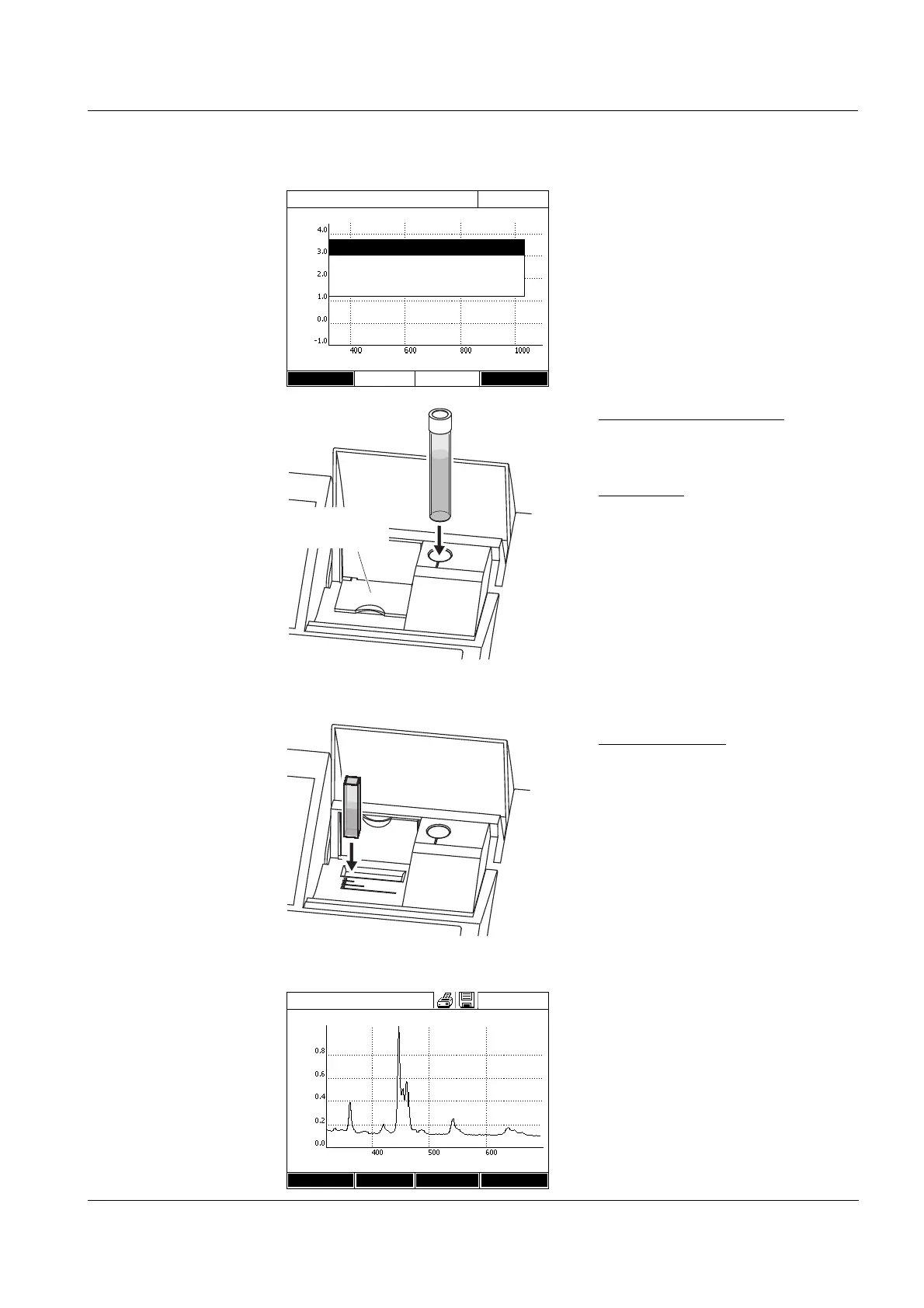
Recording the spectrum:
6 Depending on the type, insert the
cell as follows:
Round cell:
Insert the round cell in the round
cell shaft so it touches the bottom.
7 Close the inner turn-up lid.
8 Start the measurement with
<START ENTER>.
After the spectrum has been
recorded, the following message
appears: Recording of spectrum
is completed.
Rectangular cell:
Open the inner turn-up lid.
Insert the rectangular cell verti-
cally so it touches the bottom and
left edge of the cell shaft. The
opaque sides of the rectangular
cell must point to the front and
back.
9 Close the cell shaft cover.
10 Start the measurement with
<START ENTER>.
11 Wait until the spectrum is com-
pletely recorded.
At the end of the recording the fol-
lowing message appears:
Recording of spectrum is com-
pleted.
12 Confirm the message with
<START ENTER>.
Spectrum
16.04.07 9:52
Wavelength [nm]
Setup Open
Absorbance
Spectrum
Start measurement with <START/ENTER>
inner
turn-up lid
Spectrum
16.04.07 9:52
Wavelength [nm]
Setup Edit Zoom Open
Absorbance



 To Next Page