B7 Scale
• Scale is used to input the sizing calibration. If you were to cut out any particular shape, for example, a 10” x
10” square, you might find that it actually measures 9-15/16” x 10-1/32”. It will be very close to 10” x 10” but
perhaps just slightly smaller or larger in either or both dimensions. Now this might be perfectly acceptable
for the type of cutting you do. Therefore, it may not even be necessary to do this particular calibration.
However, if you do want to make sure your shapes are cut precisely to scale, the following procedure will
allow you to calibrate your SOLO.
• What you need before you begin:
Large sheet of paper (at least 10” x 10” is recommended).
SOLO Test pen
Ruler that measures in mm
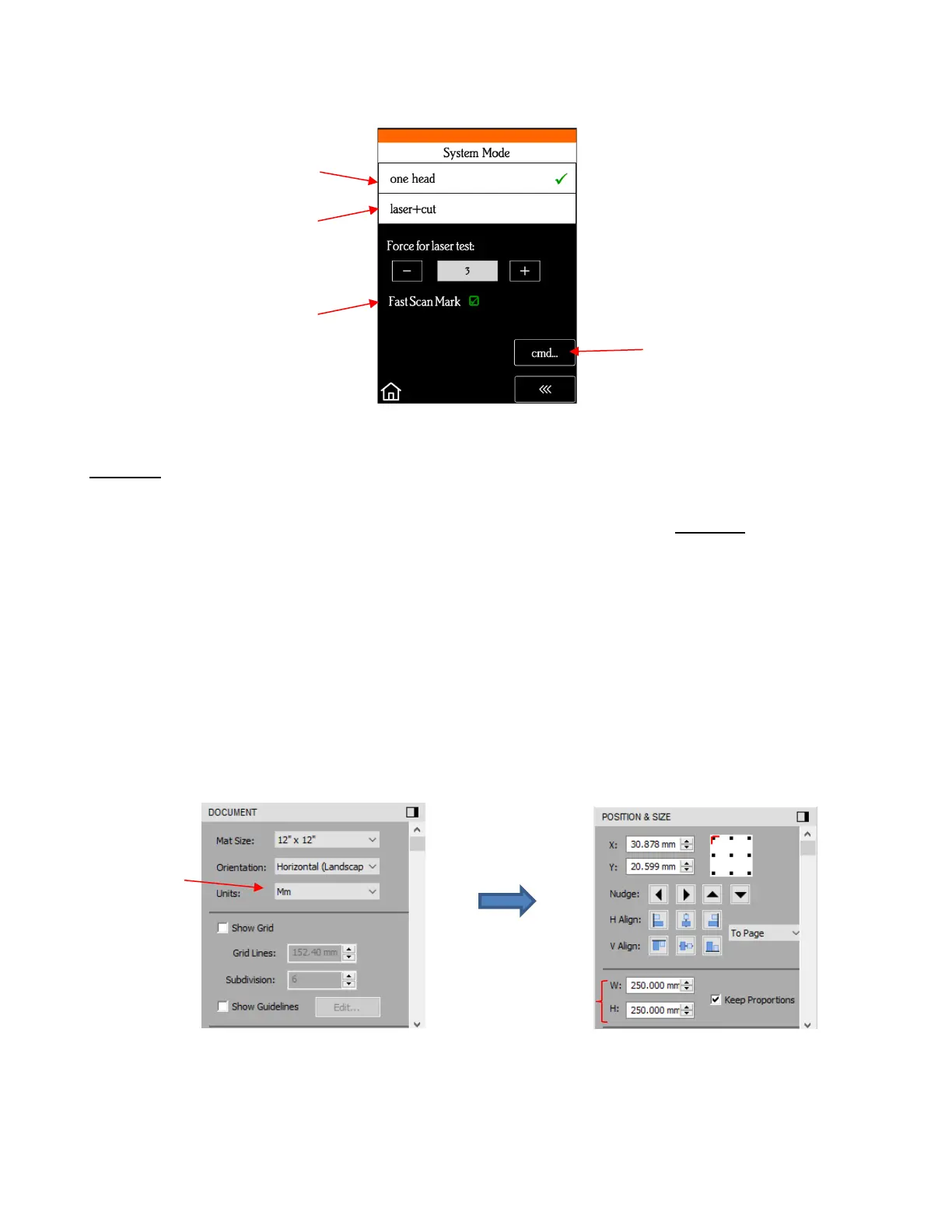
• Add a square to the Page. Switch to mm on the Document Panel and then resize the square to 250 mm x
250 mm:
• On your SOLO control panel, go to Set>Advanced Settings> Scale. The following window opens where
you can verify that the current X Scale and Y Scale values are both set to 1.0000:
When enabled, camera will
only take one photo at each
registration mark


 To Next Page