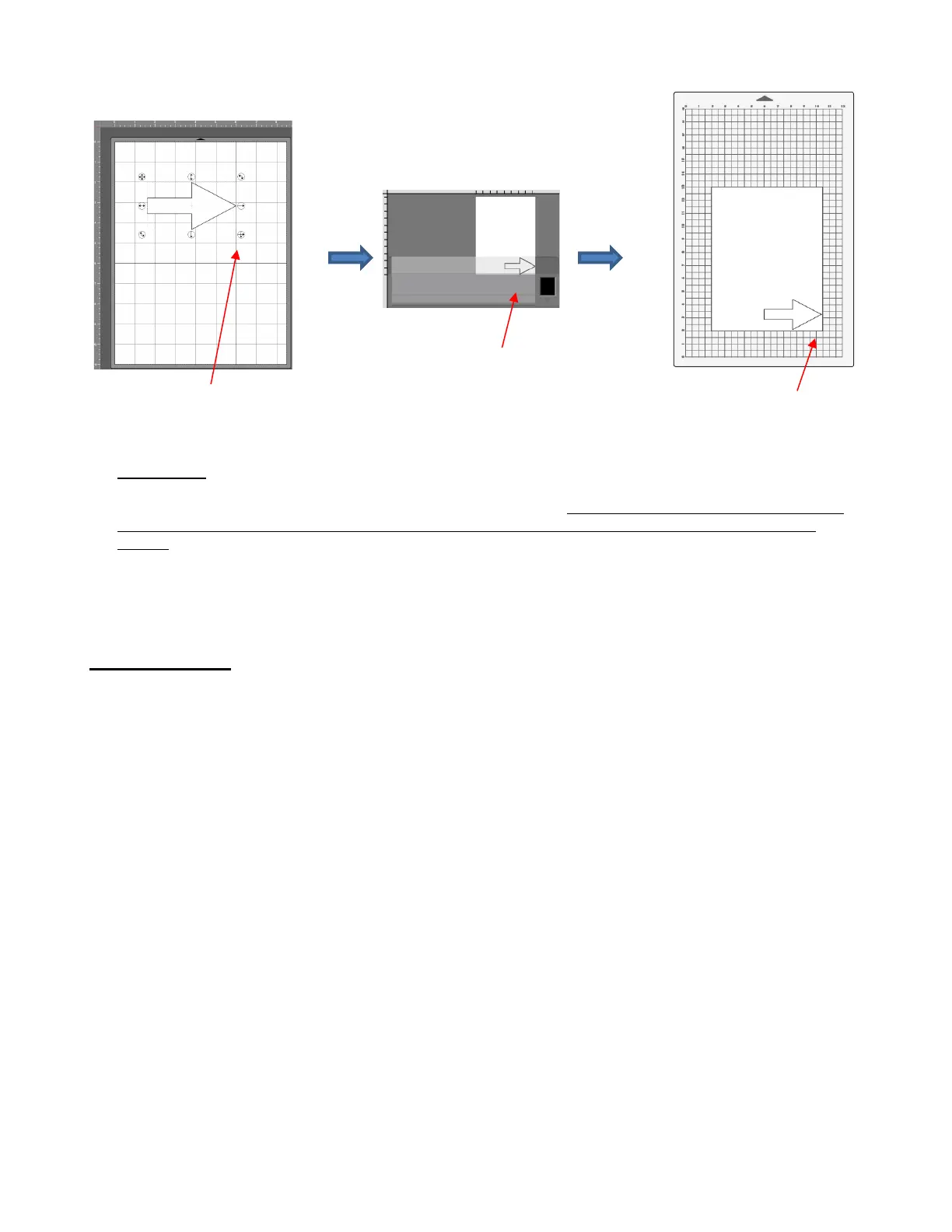
• Origin Point mode is a very useful setting because it is easy to know where your shapes will draw or cut on
your material, plus it economizes the use of your materials. Instead of cutting shapes where they are located
on the Page in CREATE (which is how WYSIWYG mode works), the shapes will be moved and aligned to
draw where you set the origin on the material, using the tip of the test pen (or later, the blade tip when
cutting)
• There are other settings which control where shapes will cut. These are covered in Sections 2.03.2 and
2.06. You will also find additional details in Section 8.04 of the StarCraft CREATE User Manual.
1.12 Maintenance
• SOLO cutters contain internal lubrication to protect all mechanical parts. Therefore, there is no need to oil or
lubricate any of the components.
• Keep the cutting mat clean and sticky by washing with warm water or using baby wipes.
• When necessary, the pinch wheels and the grit shafts may be cleaned with isopropyl alcohol or Un-Du.
Apply the cleaner to a clean lint-free rag and rub the entire wheel and/or grit shaft until free of adhesive.
Arrow is in same location. This
is the lower right corner of the
bounding box around the arrow.



 To Next Page