Appendix A Troubleshooting
A1 Communication Issues
I cannot get the SOLO to power on.
• Make sure the power cable is securely plugged into the adaptor and into a wall socket or power strip.
• Make sure the adaptor light is a steady green light and it is plugged securely into the SOLO.
• If you still cannot get the SOLO powered on, contact your dealer.
____________________
I cannot power off the SOLO.
• Press and hold the power button until the control panel shuts off.
____________________
I cannot get Wi-Fi to work with my SOLO.
• Set the SOLO close to the router when performing the initial setup presented in Section 1.08.2. After
establishing communication, you can test how far the SOLO can be located from your router.
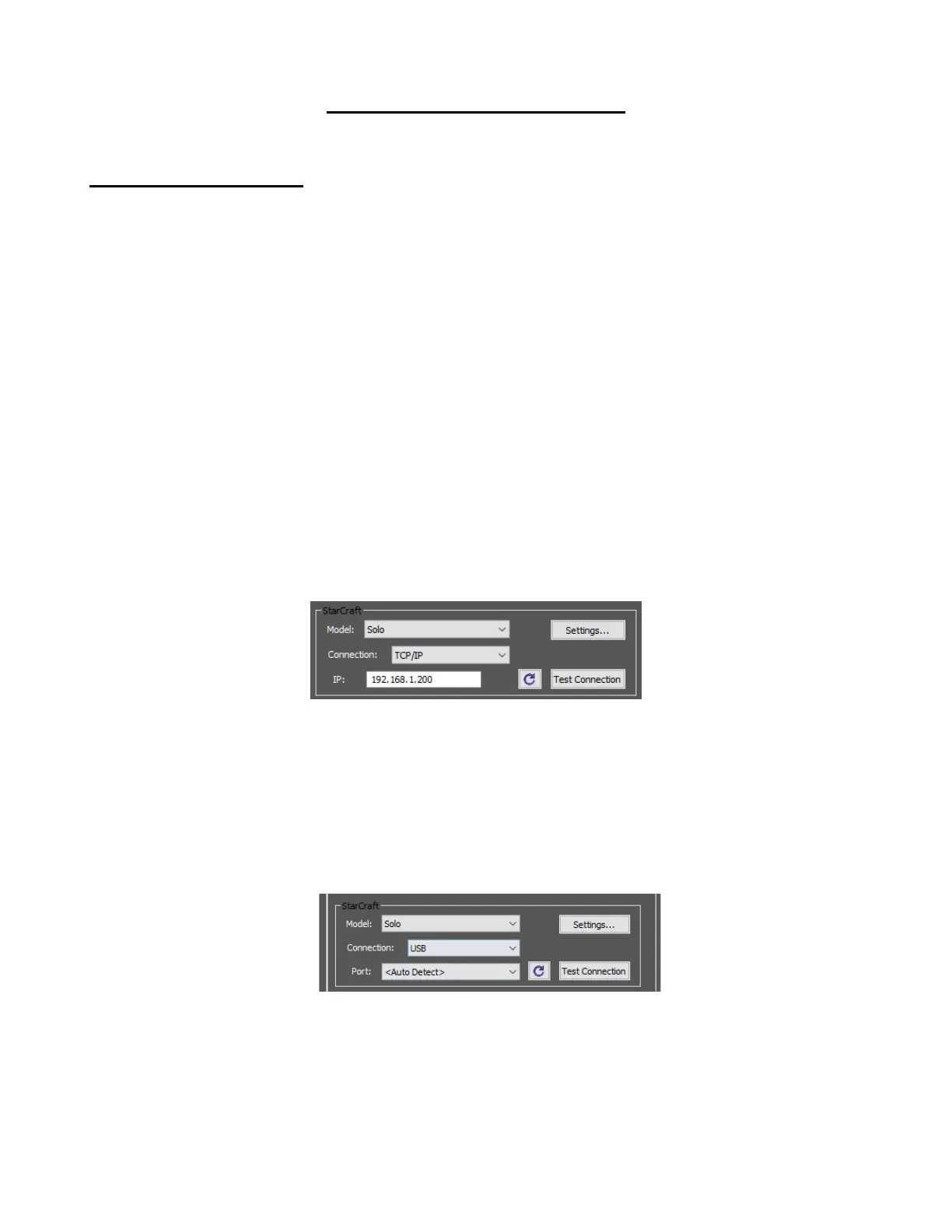
• In CREATE’s Cut Settings window make sure you have selected TCP/IP and entered the same IP
address you selected during setup:
• Make sure your computer is connected to the same router as your SOLO.
____________________
I cannot get USB to work with my SOLO.
• Unplug/replug the USB cable at both the computer and at the SOLO.
• In CREATE’s Cut Settings window make sure you have selected USB under Connection:
• Try a different USB port on your computer.
• Try a different USB cable.
• If you see a flashing red light through the USB port on the right end cap, the USB port may be
damaged. Contact technical support.
____________________



 To Next Page