Appendix B Control Panel Advanced Settings
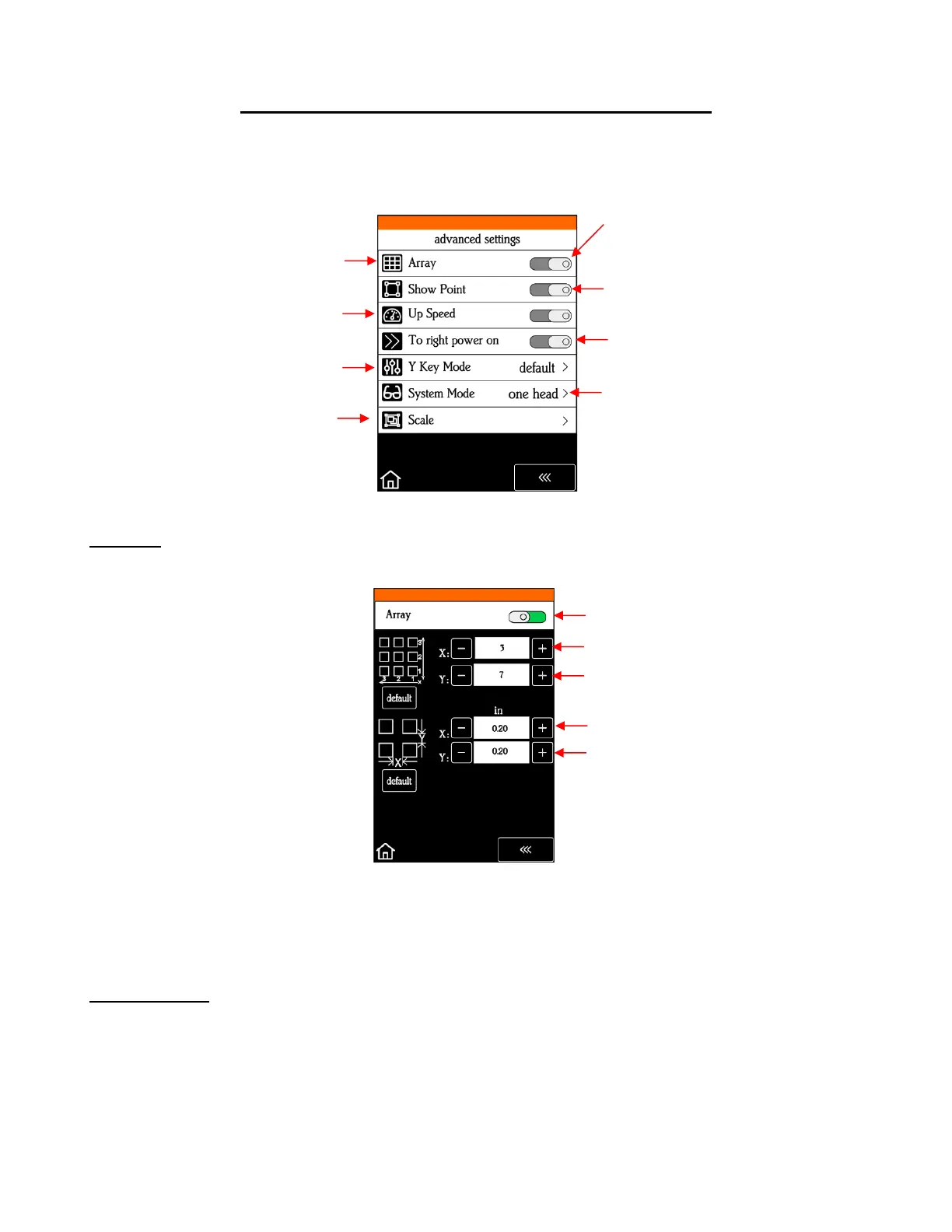
• The optional settings in the Advanced Settings screen are:
B1 Array
• Tap the Array button to open the Array screen:
In the above screenshot, the shape sent to the SOLO would cut 3 across and 7 up & down, for a total of
21 shapes. The spacing between each shape would be 0.20 inches (Note: to use mm instead of inches,
switch the Units setting. Refer to Section 1.07.2).
B2 Show Point
• You can set two separate origins on the SOLO. Why do that? Well, you might want to use one for where you
load the mat or material for repeated cuts and the other for where you set the blade before cutting. But
there can be other applications that might come up in the future.
• When toggled on, the Main Screen displays the following:



 To Next Page