1.11.2 Setting an Origin Before Drawing (or Cutting)
• Before you draw (and later on, before you cut), an origin needs to be established which is nothing more than
positioning the location of the test pen (or blade holder) over the material.
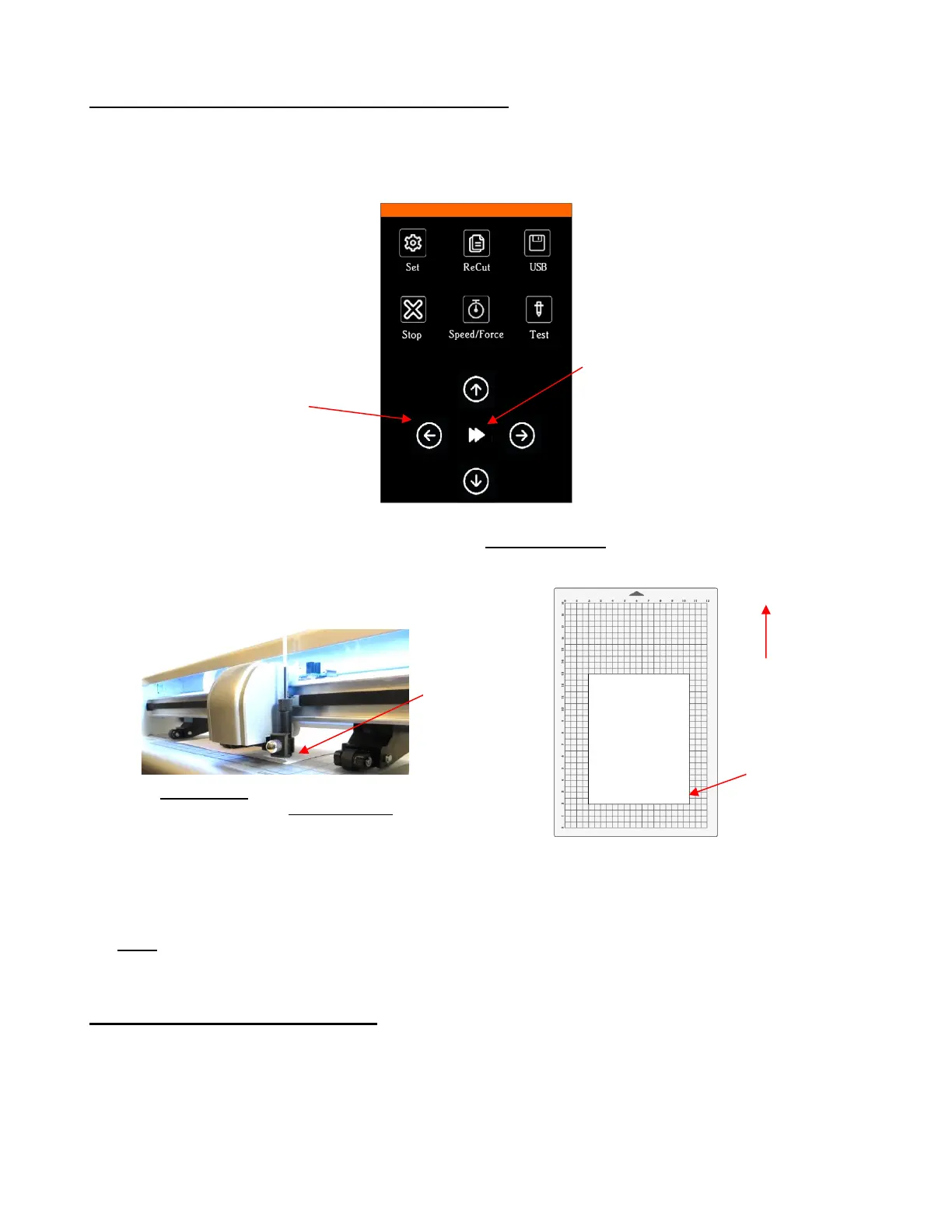
• The arrow keys on the SOLO’s control panel are used to set the origin:
• Click on the arrow buttons to move the test pen left or right and the mat (or just the paper) in and out.
The goal is to have the tip of the pen close to the lower right corner of the paper:
• Once the pen tip is near the lower right corner, you have “set the origin” and are ready to proceed with the
test.
• Note: If the movement of the up and down arrow buttons seems backwards to you, it can easily be
reversed. Refer to Appendix B5.
1.11.3 Setting Up a Test in CREATE
• Near the top right corner in CREATE is the Document Panel which is used to set a host of settings related
to Page (aka, the Onscreen Mat or Document) on which you place shapes, edit and design. Please make
the following settings:
IMPORTANT: Most of the mat and/or
paper should now be behind the cutter,



 To Next Page