Draw Tool: Use this function to create straight lines and Bézier curves. Hold the Shift key to
force lines to be horizontal, vertical or at a 45°angle. Press Enter to conclude a line or curve.
Freehand Drawing: Freely draw thin lines with a Smoothing setting to help with shaky hands.
Brush Drawing: Freely draw thick lines with the thickness you desire. Crossing a path will
automatically weld the overlap.
4.10 Editing Tools
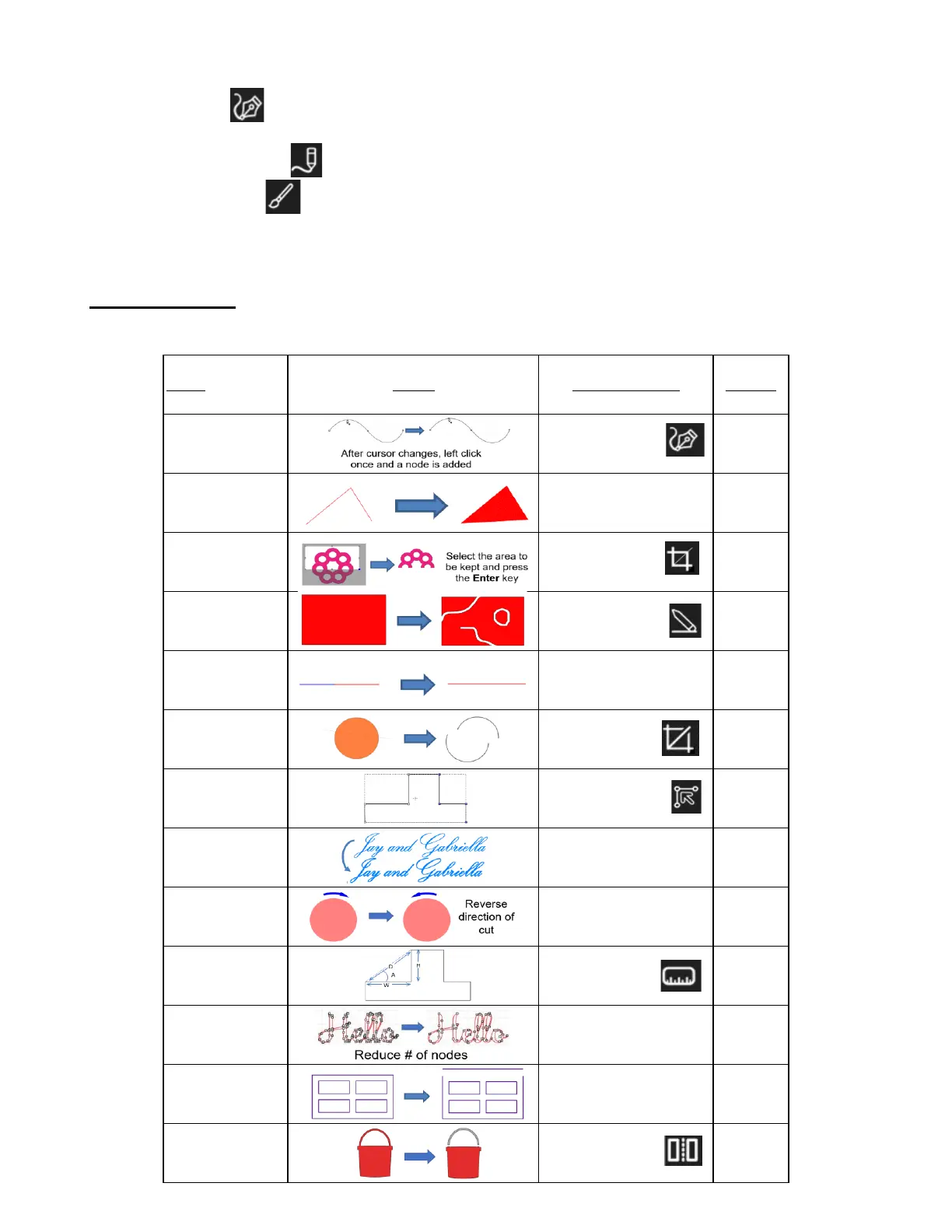
• To assist in editing your tracings and other vector designs, the following tools are available:
Name Image Create Location Section
Add a Node Tools Panel on left 5.04.1
Close Path Path>Close Path 6.03
Crop
Tools Panel on left 6.07.2
Join Paths Path>Join Paths 6.04
Knife
Tools Panel on left 6.07.1
Node Editing using
Shape Tool
Offset Path Path>Offset Path 6.05
Reverse Path Path>Reverse Path 8.08
Ruler
Simplify Path>Simplify 6.01
Split Path Path>Split Path 6.02
Stencil Bridge



 To Next Page