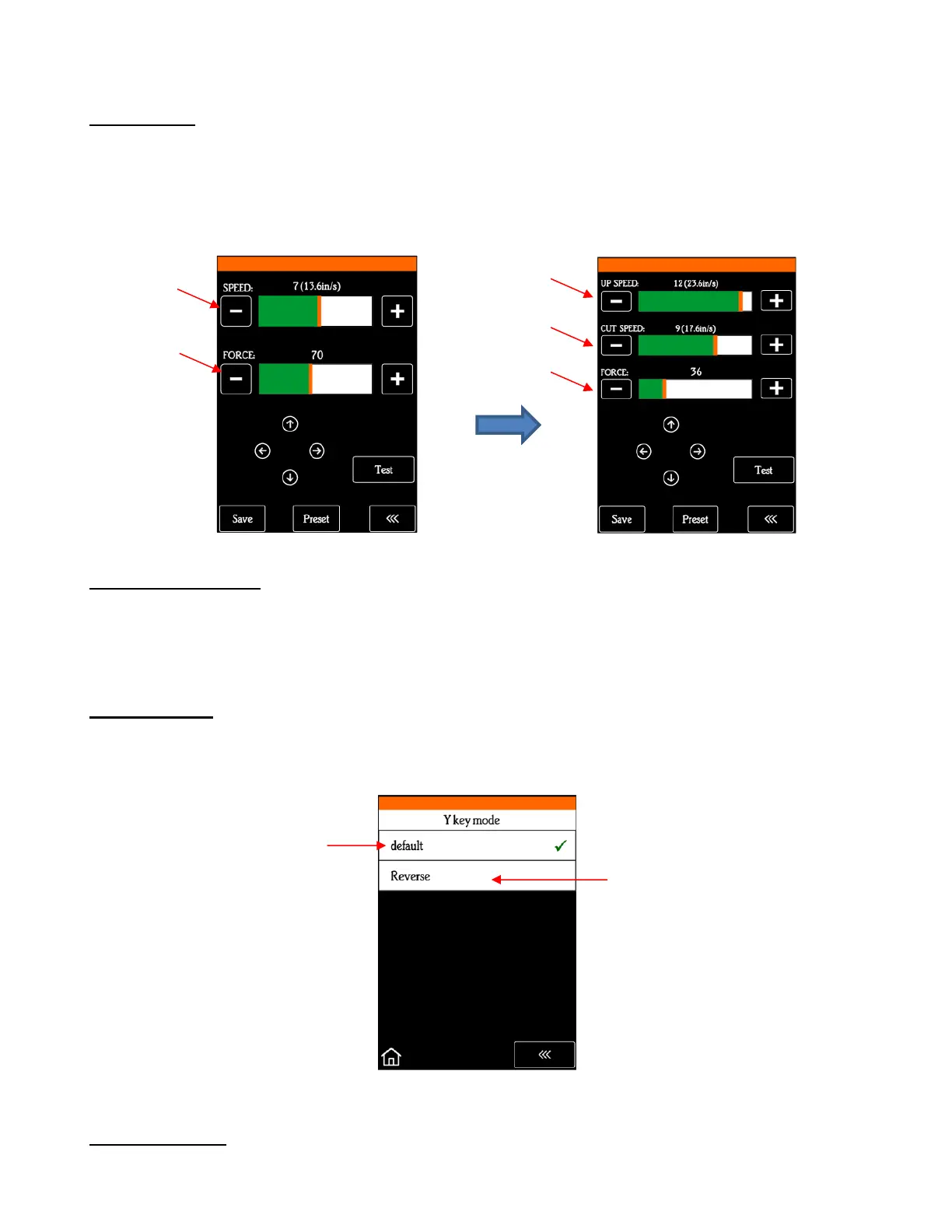
B3 Up Speed
• Up Speed is how fast the blade travels while in the “up” position, such as when it is moving from the origin
to the location of the first shape to cut or when moving from one cut shape to begin cutting another. When
turned off, Up Speed will match the SPEED set for cutting. Turning on this setting will change the
Speed/Force screen to display both speeds, allowing them to have different settings:
B4 To right power on
• With this setting turned on, the cutting head will move to the far right whenever the SOLO is powered on.
Otherwise, the cutting head remains in the same location as when the SOLO is powered off unless you
move the head manually while off.
B5 Y Key Mode
• This setting controls the movement of the material or cutting mat when using the up and down arrows on the
Main Screen:
B6 System Mode
• This screen provides the following functions:



 To Next Page