Black plate (281,1)
一般Model "A2520GE-A" EDITED: 2015/ 10/ 22
. Do not insert foreign objects into
the port as this may damage the
portable audio device or its term-
inal.
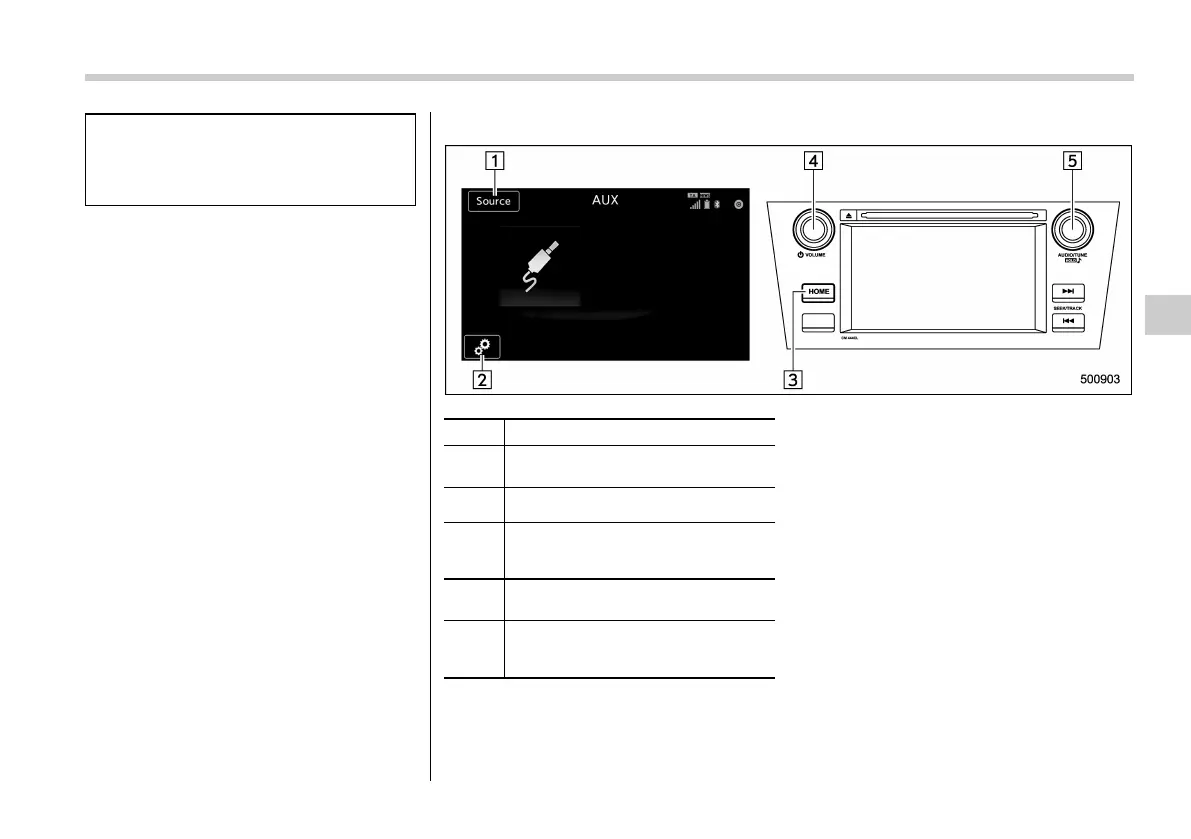
! Control screen and panel
No. Function
&
1
Select to display the audio source
selection screen.
&
2
Select to open the Options screen.
&
3
Press to display the sound setting
screen. Refer to “Unit settings” F5-
18.
&
4
Turn to adjust volume.
Press to turn the audio system on/off.
&
5
Press to select an audio source.
Refer to “Selecting an audio source”
F5-17.
Audio/Media operation
5-39
– CONTINUED –
5














 To Next Page