11-6 SPARCstation 5 Service Manual—November 1996
11
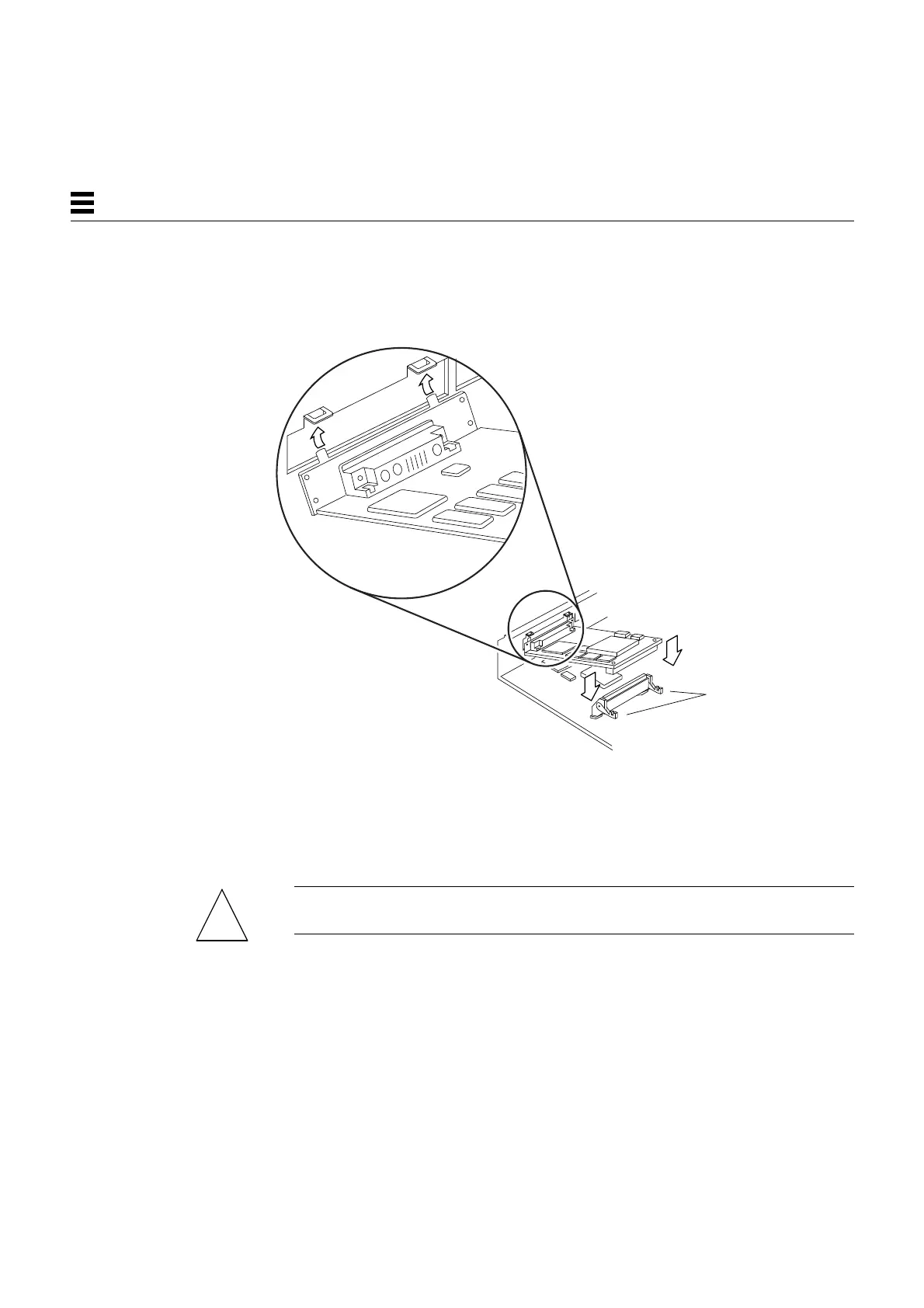
3. Holding the card at an angle to the rear panel, insert the tabs on the card
backplate into the corresponding slots on the rear panel.
See Figure 11-7.
Figure 11-7 Inserting the SBus Card
4. Carefully align the SBus card connector with the socket on the system
board. Press the corners of the card to push the connector into the socket.
See Figure 11-7.
Caution – Do not force the card. Align the card connector and socket properly
or you may damage the pins on the card.
Open both
card retainers.
!














 To Next Page