13. COOLING SYSTEM
13-7
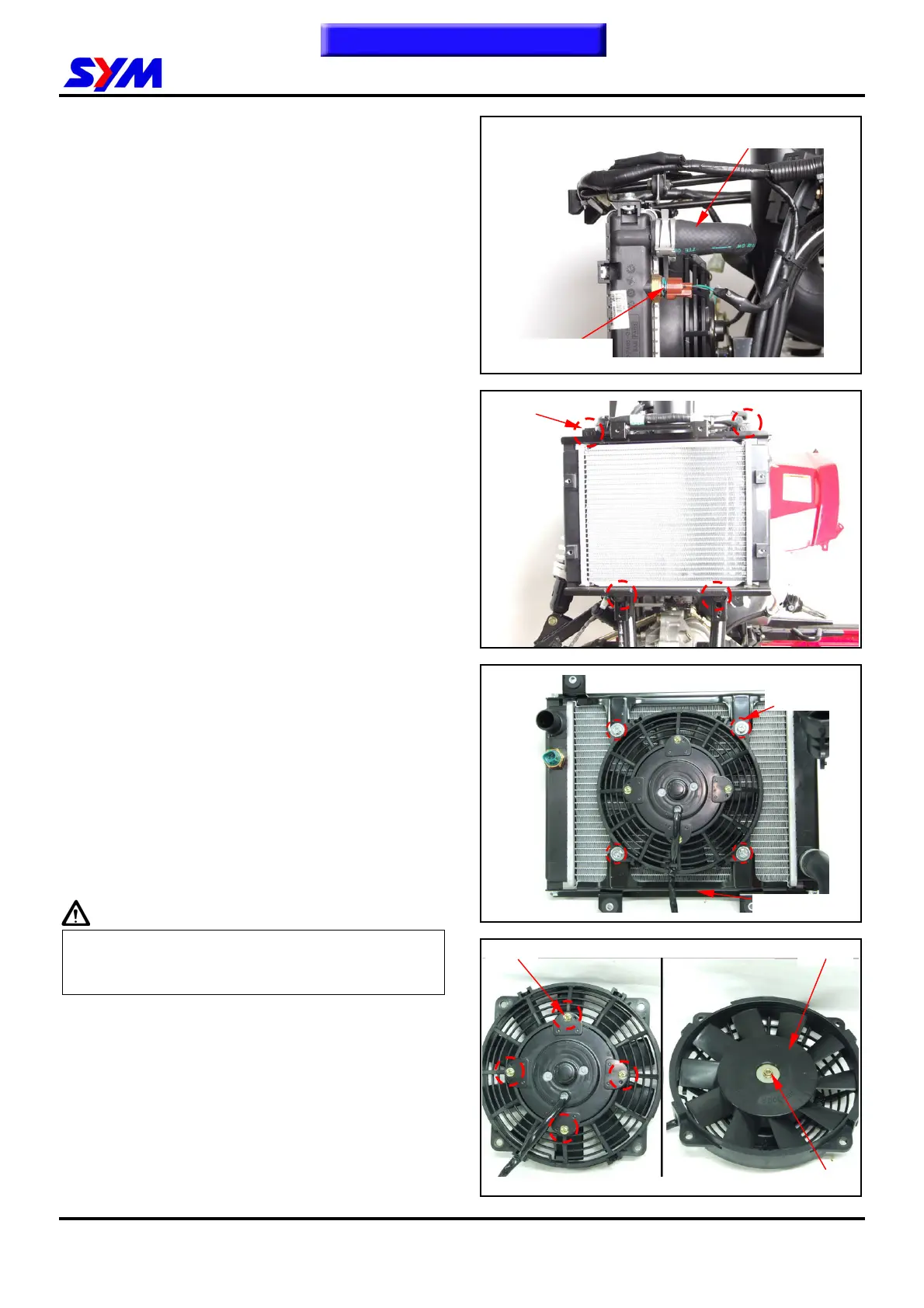
Disconnect the couplers for the thermo switch.
Remove the radiator inner hose clamp, water hose,
fan motor, and then remove radiator and cooling
fan.
Loosen the radiator 4 bolts and remove the
radiator tank.
Disassembly
Loosen the 4 bolts from the fan duct, and then
remove the fan duct.
Remove nut to remove the fan from fan motor.
Loosen 4 screws from the fan motor, and take off
the fan motor.
Assembly
Install fan motor onto fan duct and insert the fan
into the motor shaft.
Apply a coat of the adhesive to the shaft thread of
the motor, and then install the washer and the lock
nut.
Tighten the fan duct onto the radiator with 3 bolts.
Please refer to chapter 17 for the inspection of the
thermo switch.
Caution
Liquid packing must be applied to the thermo
switch before installing to avoid damaging the
radiator.
Installation
Install the removed parts in the reverse order of
removal.
Install radiator in the reverse order of removal.
Upon completion, check for any leakage.
Cooling fan
duct bolts x4
Fan nut
To this chapter contents
Thermo switch
Coolant inlet pipe
Thermo switch
4 bolts
Fan nut
4 bolts



 To Next Page