2. MAINTENANCE INFORMATION
2-7
Drive Belt
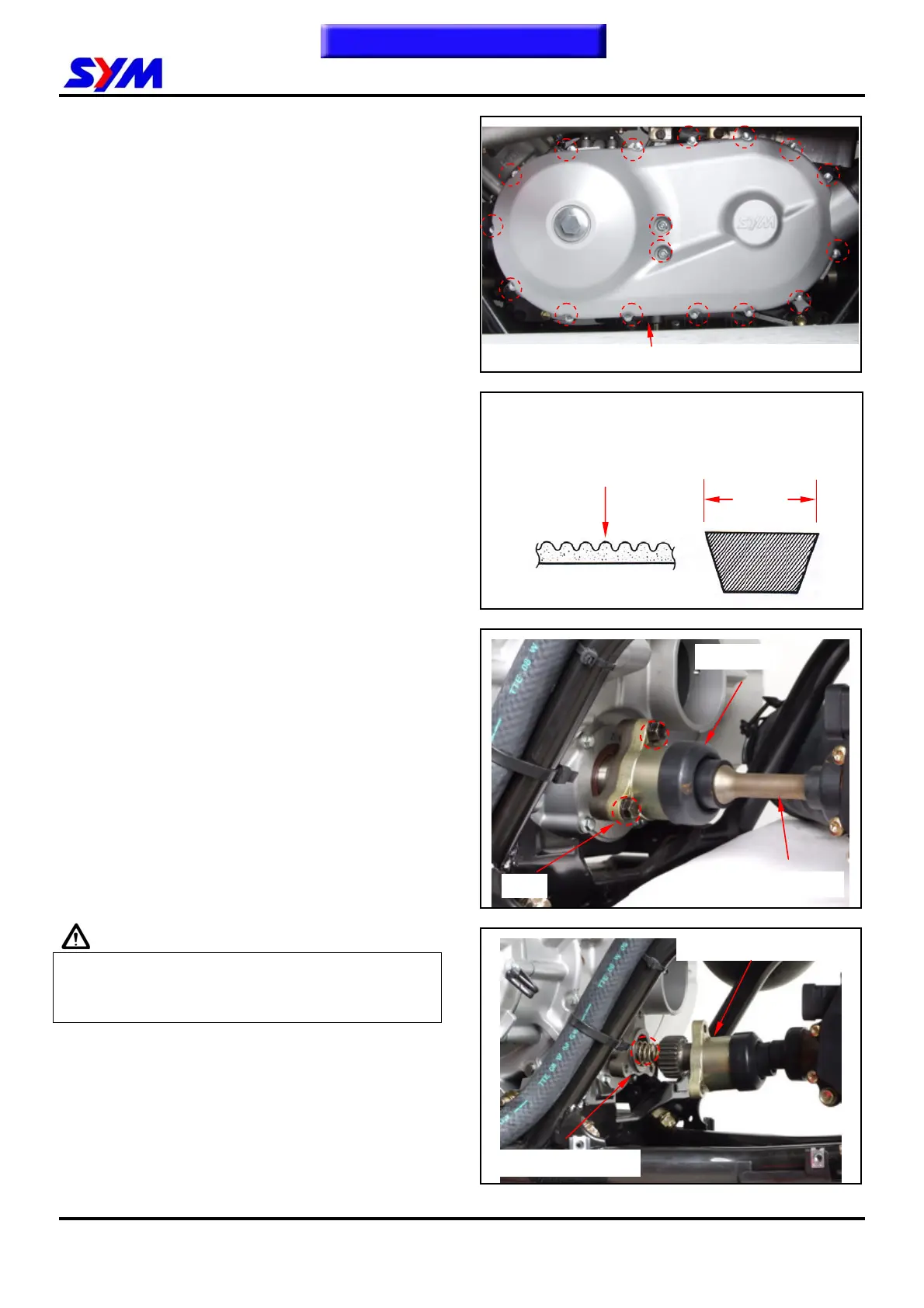
Loosen the 2 clamp strips of left crankcase cover,
and then remove the left crankcase cover
ventilation pipe.
Remove 17 bolts.
Remove the left crankcase cover.
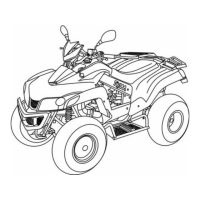
Check if the belt is cracked or worn out.
Replace the belt if necessary or in accordance
with the periodical maintenance schedule to
replace it.
Width limit: 32.7 mm or above
Propeller Shaft
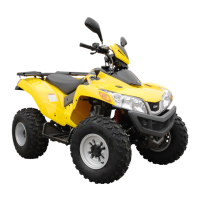
Remove 3 bolts from the propeller shaft connector.
Check the propeller shaft for any wear.
Check the rubber boots for any damage.
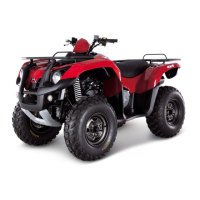
Caution
Don’t lose the propeller shaft spring.
Coat the propeller shaft gear with grease before
assembling the propeller shaft.
Teeth
Width
To this chapter contents
Propeller shaft spring
9 bolts
Propeller shaft connector
Front propeller shaft
3 bolts
Rubber boot


 To Next Page