4. FUEL SYSTEM
4-11
Air Cleaner
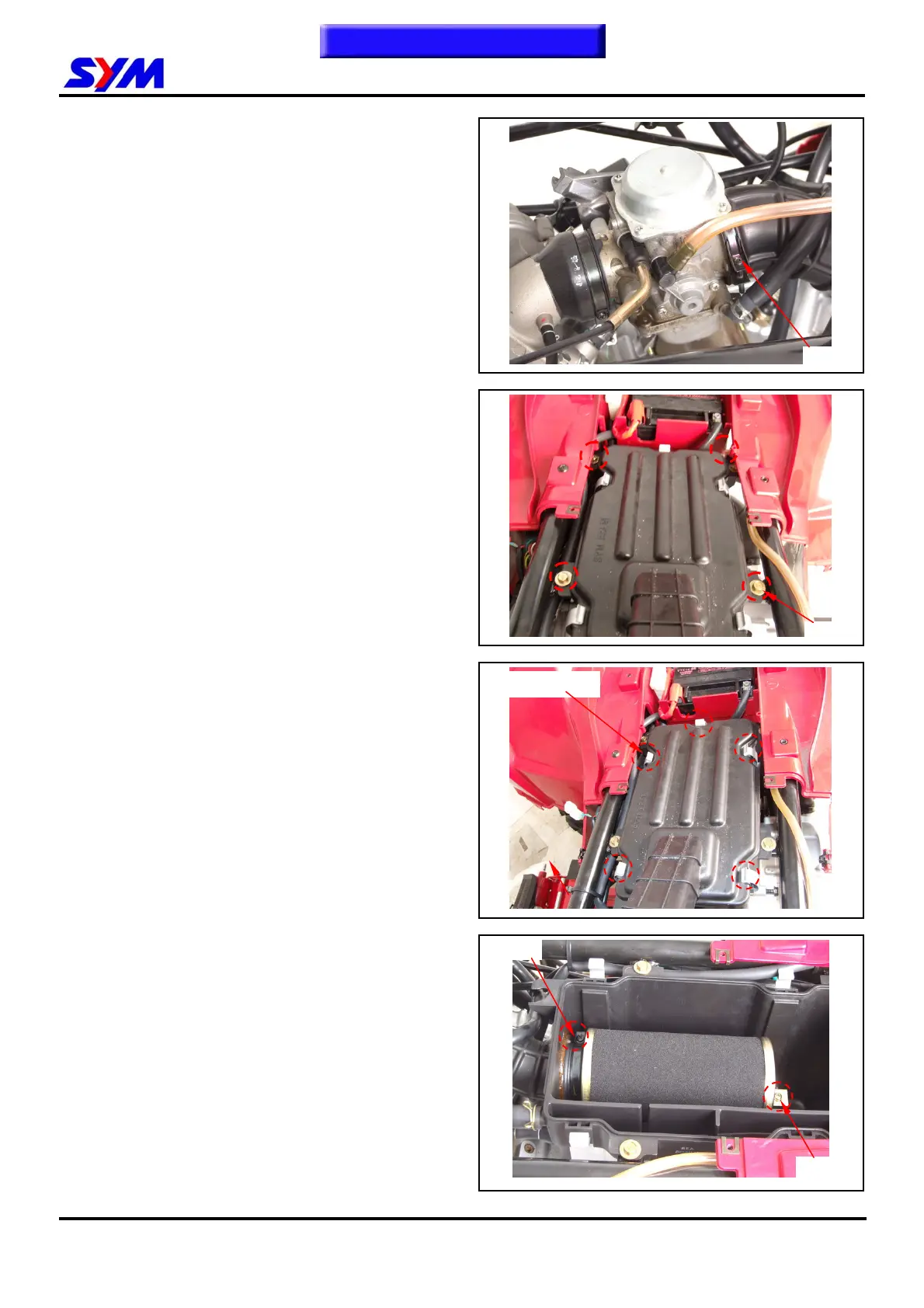
Removal
Loosen the clamp strip of air cleaner and
carburetor, and then remove the vapor hose.
Loosen the clamp strip of air cleaner, and then
remove the air cleaner vapor hose.
Remove the air cleaner (4 bolts).
Installation
Install the tank in the reverse order of removal.
Cleaning air cleaner element
Remove the air cleaner cover (5 catch hooks).
Remove element mounting screw.
Loosen the clamp strip of air cleaner element.
To this chapter contents
Clamp
4 bolts
Clamp
5 Catch hooks
Clamp



 To Next Page