4. FUEL SYSTEM
4-10
Fuel Tank
Fuel tank removal
Open the seat.
Remove the front cover and front top center cover.
Remove the side covers and lower side covers.
Remove the front fender.
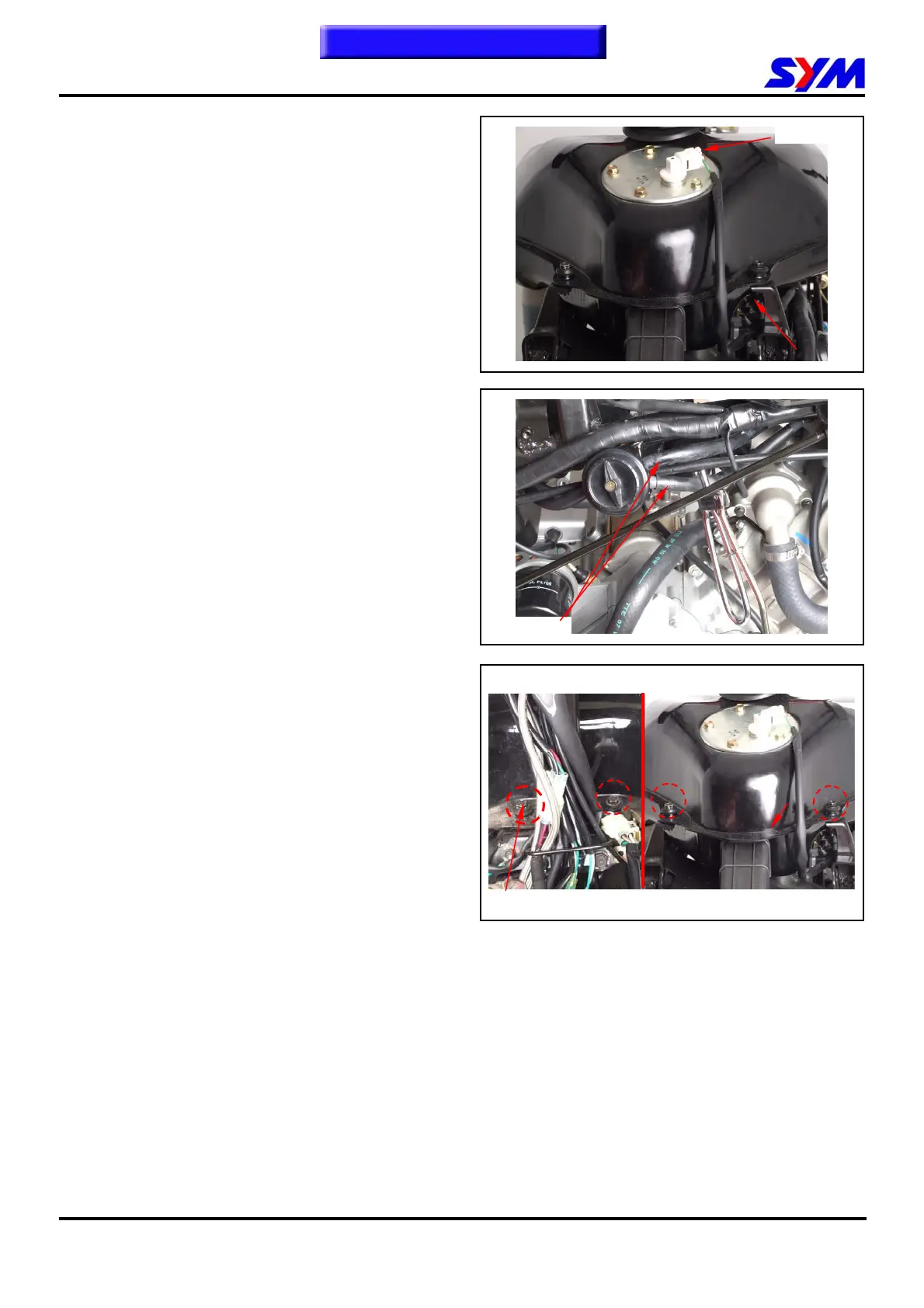
Remove fuel unit wire from tank.
(Covers remove please
refer chapter 13)
remove 2 fuel tubes from fuel valve.
Remove 4 bolts from tank rear side & front side
and then remove fuel tank.
.
Installation
Install the tank in the reverse order of removal.
Fuel unit
4 bolts
Fuel tube
To this chapter contents
FRONT REAR


 To Next Page