9 – Various information displays
OPEN SOURCE SOFTWARE LICENSE
Screen
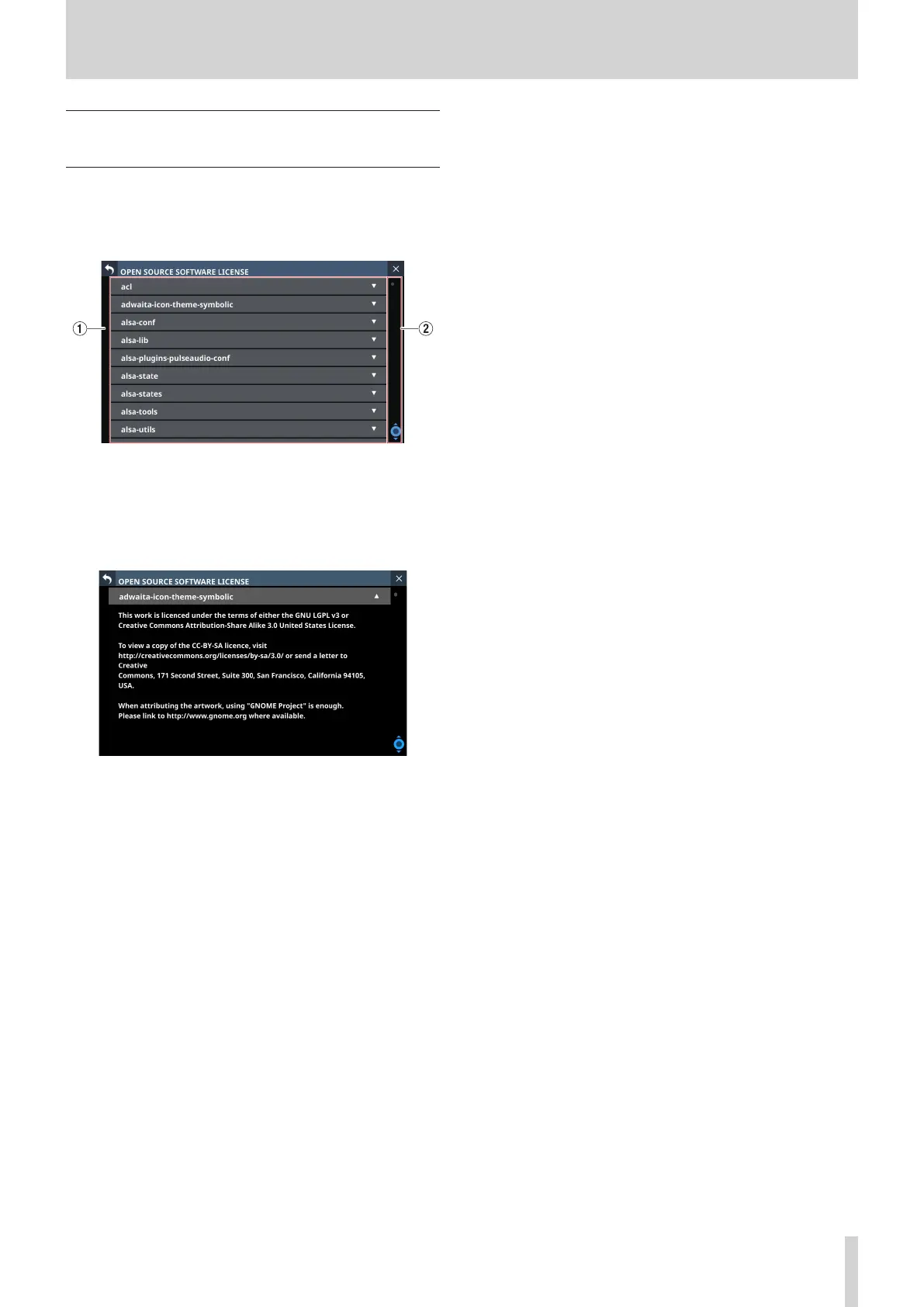
This screen shows information about licenses for open source
software used by this unit.
Tap OPEN SOURCE SOFTWARE LICENSE on the INFORMATION
Screen to open this screen.
1 License information list
o This a list of licenses for open source software used by this
unit.
o Tap the b icon to show the license document for that
open source software.
o When a license document is open, tap the 5 icon to close
it.
2 Scrollbar display
This appears when the entire license document cannot be
shown on the display at the same time.
Drag the display to scroll the screen. The list can also be
scrolled by swiping up and down as well as by turning LCD
knob 8.
TASCAM Sonicview 16/Sonicview 24 V1.1.0 187


 To Next Page
 Loading...