6 Using the product
126 0970 4020 en 01 testo AG
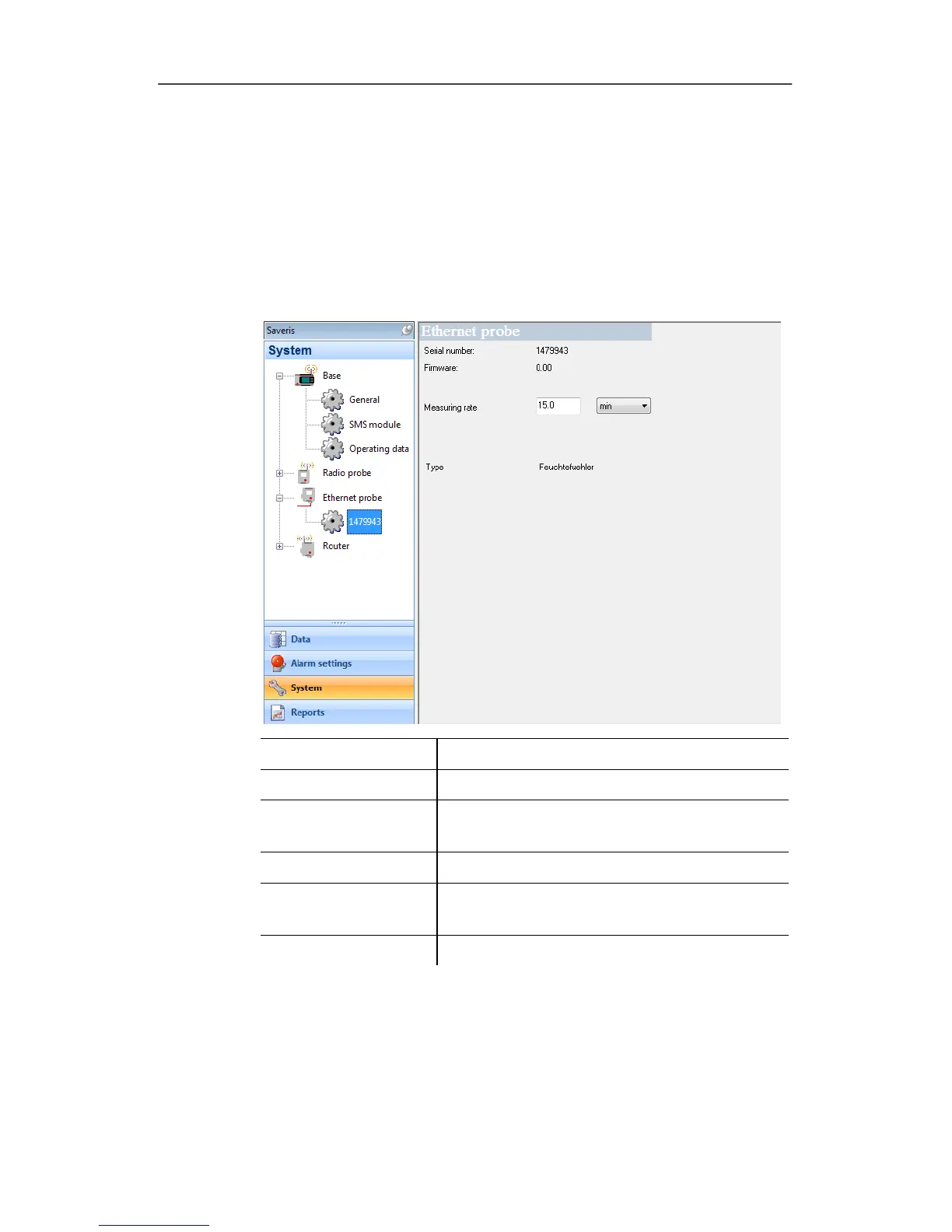
1. Open the Ethernet probe entry.
- The Ethernet probes connected to the Saveris base are
shown under the entry.
2. Click on one of the probe names to open the information on
the probe.
- The settings of the selected probe are shown in the display
range.
Designation Explanation
Serial number
Serial number of the probe.
Firmware Version number of the probe's instrument
software.
IP address
IP address of the probe.
Meas. cycle Interval in which the measurements
should be performed.
Type
Specification of the probe type.
Pos: 168 /TD/Produ kt verwenden/testo Sa veris/09 Einstellu ngen System/05 Router @ 1\mod_1197537685343_79. doc @ 6263
6.9.6. Router
Using this menu item, assign which radio probes should transfer
their measurement data to the Saveris base via a router.
1. Open the
Router entry.







 To Next Page