6 Using the product
0970 4020 en 01 127
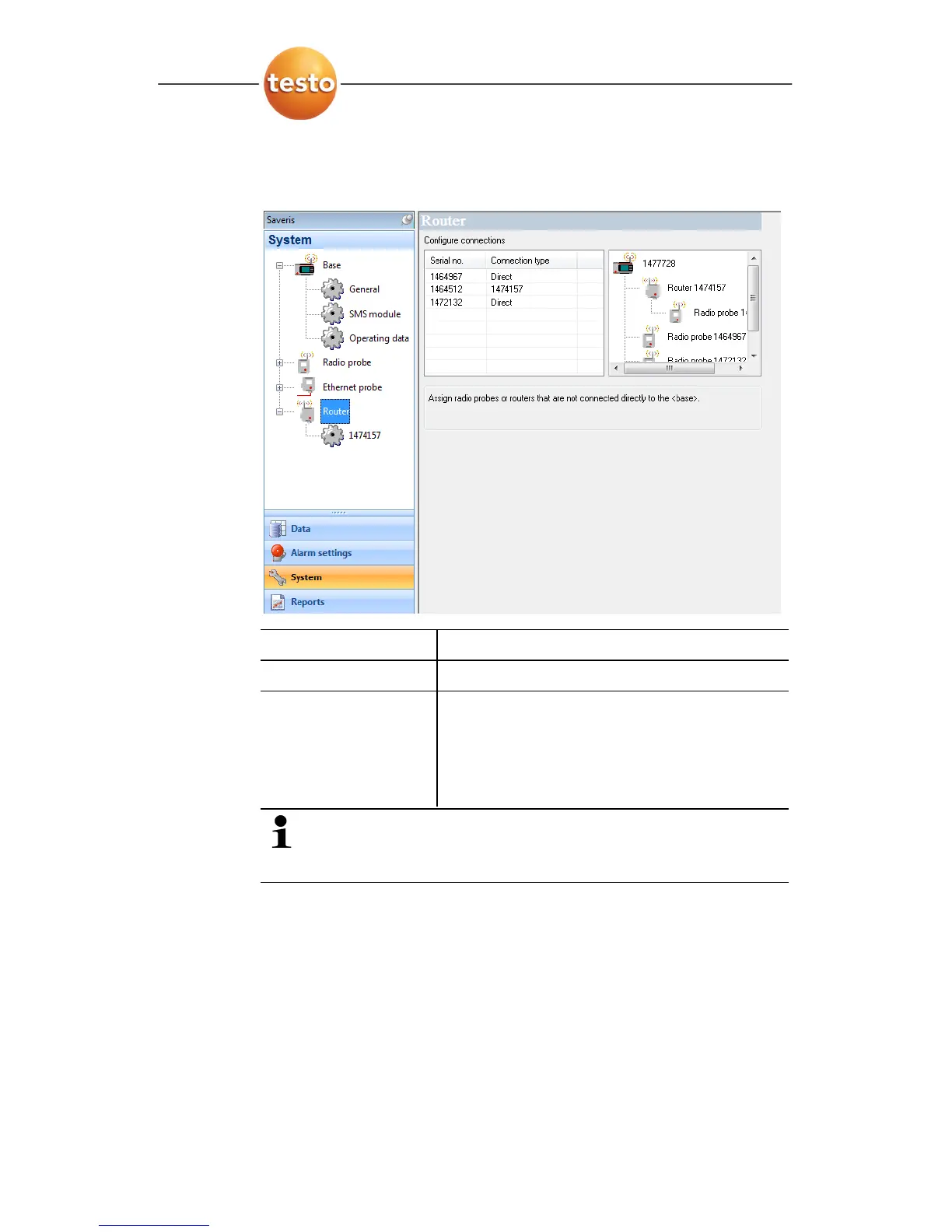
- Under the entry the routers connected at the Saveris base
are shown and the radio probes connected at the base are
listed in the display range.
Designation Explanation
Serial no.
Serial number of the radio probe.
Connection type Specification as to whether the radio
probe has a
Direct connection to the
Saveris base or if a router transmits the
readings (display of the router serial
number).
The structure overview shows you which radio probes
are directly connected to the Saveris base and which
are integrated into the measuring system via a router.
2. Click in the connection type cell of the probe which is to be
assigned to a router.
- The cell is shown as a selection list.
Pos: 169 /TD/Produ kt verwenden/testo Sa veris/10 Einstellu ngen Berichte/00 Eins tellungen Berichte @ 0\ mod_1189494078218_79. doc @ 4243
6.10. Report settings
In the report settings, you can determine how the automatic
reporting should take place.
1. Click on
Reports in the navigation area.







 To Next Page