6 Using the product
128 0970 4020 en 01 testo AG
- The
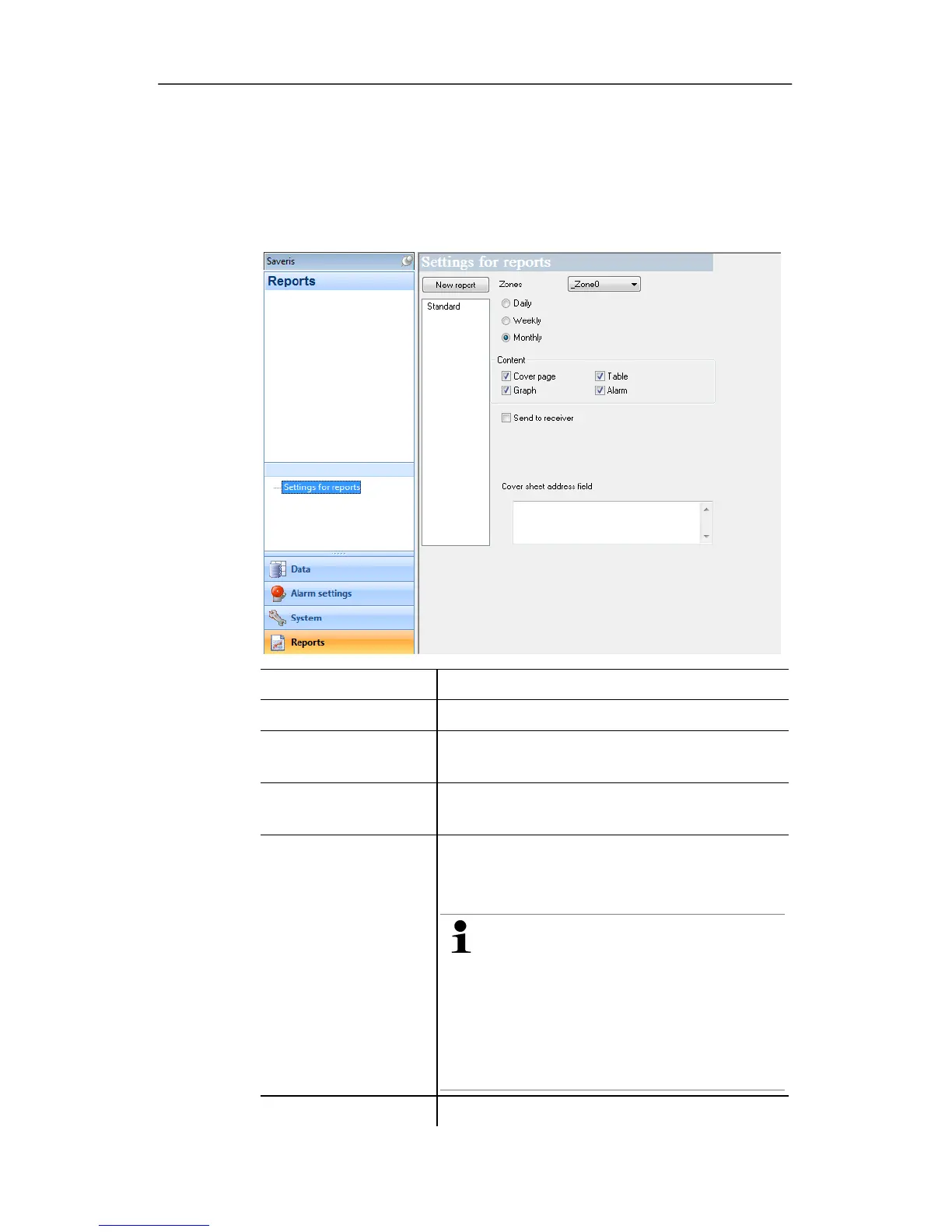
Settings for reports submenu is shown in the data
window.
2. Click on
Settings for reports.
- The report settings are shown in the display range.
Pos: 170 /TD/Produ kt verwenden/testo Sa veris/10 Einstellu ngen Berichte/01 Set tings @ 0\mod_118899792 5140_79.doc @ 3821
Designation Explanation
[New report]
Adds a new reporting task to the list.
List of the reporting
tasks
List of the created reporting tasks.
Zones Selection list of the group for which the
report should be created.
Time of the creation
Specification as to whether the report
should be created Daily, Weekly or
Monthly.
Daily: The report is created daily
at 12 a.m.
Weekly: The report is created
every Sunday at 12 a.m.
Monthly: The report is created on
the last day of the month at 12
a.m.
Content group field With activated option the corresponding







 To Next Page