6 Using the product
108 0970 4020 en 01 testo AG
6.5.1.8. Settings for the axes in the diagram
Change the settings of the axes in the diagram to adapt the
representation to your requirements.
Pos: 145 /TD/Produ kt verwenden/testo Sa veris/05a-3 Achsei nstellungen/06 W erteachse @ 0\mod_1193999542 824_79.doc @ 5694
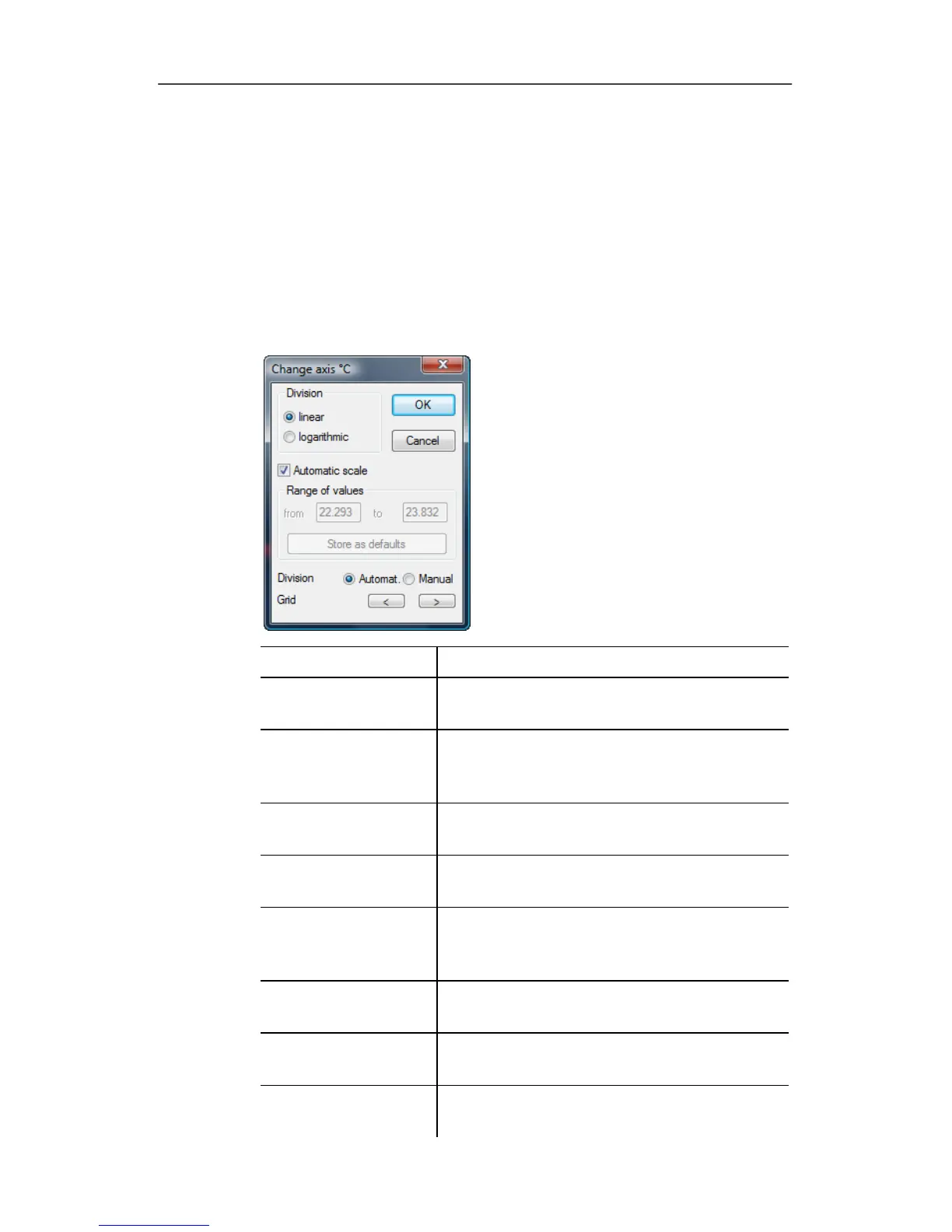
Settings for the value axis
> With the right mouse button, click on the desired value axis
in the diagram.
- The
Change axis [unit of the readings] dialogue is shown.
Designation Explanation
Division linear Specification that the axles are divided in
a linear manner.
Division
logarithmic
Specification that the axes are divided
logarithmically, meaning the increments
represent powers of ten.
[OK] Applies the settings until other data are
called up. The dialogue is closed.
[Cancel] Closes the dialogue without applying any
changes.
Automatic scale Specification as to whether the program
should perform the scaling of the value
axis.
Range of values
from
... to
Manual entry of the range of values if the
Automatic scale is deactivated.
[Store as defaults] Saves the current settings as the default
setting.
Division Automat. Specification that the program should
perform the division of the axis.







 To Next Page