Some player devices cannot be controlled through the
USB connector. Some player devices save music files in
MP4 format, which cannot be played in this radio. Some
copy protected music (e.g., downloads from the internet)
cannot be played on this radio.
NOTE:
Some MP3 players do not allow songs to be copied into
other devices.
Compatible Devices
Please see your authorized dealer or visit
www.driveuconnect.com/ eu/en/
(http:// it.driveuconnect.com/eu/en/
for the Italian version) for supported devices.
NOTE:
Some MP3 players do not allow songs to be copied into
other devices.
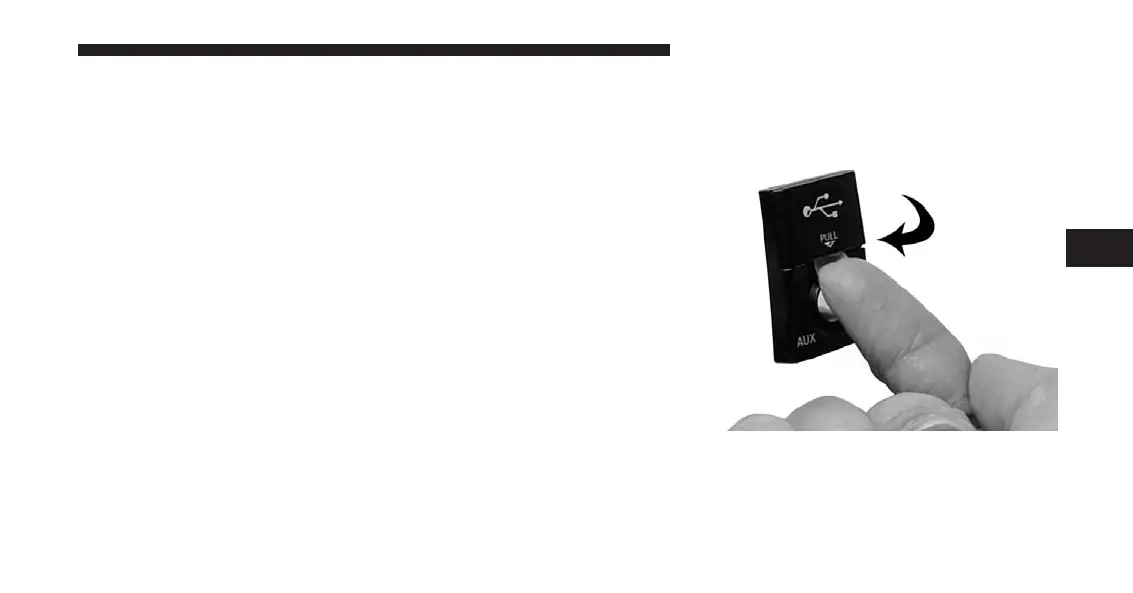
How To Open The Cover
1. Place finger under the pull arrow.
4
Uconnect® Multimedia (REMOTE DEVICES) 111



 To Next Page