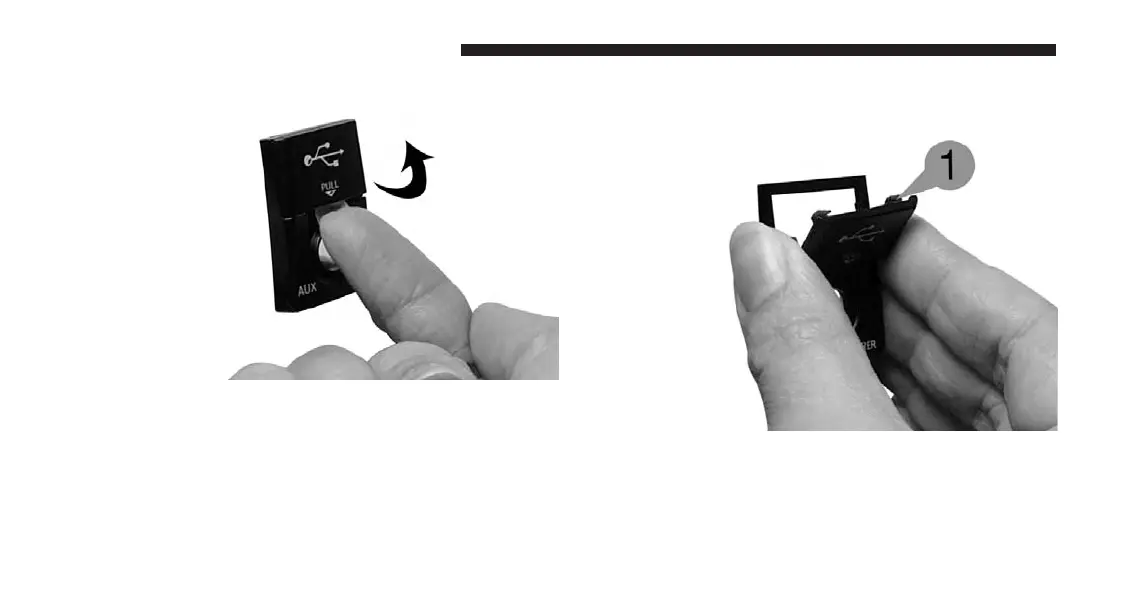
2. Pull forward.
NOTE:
The flap is attached and should not be removed! Do not
pull the flap off of the frame. Do not use a tool (e.g.,
screw driver, nail file, etc.) to open the flap, as this
could cause damage to the face of the radio.
How To Close The Cover
1. Using your thumb and index finger, grasp the flap.
Notice the hooks (1), which must first be inserted into
the frame.
112 Uconnect® Multimedia (REMOTE DEVICES)



 To Next Page