Enter Home Address
1. Press the NAV hard-key on the right side of the radio.
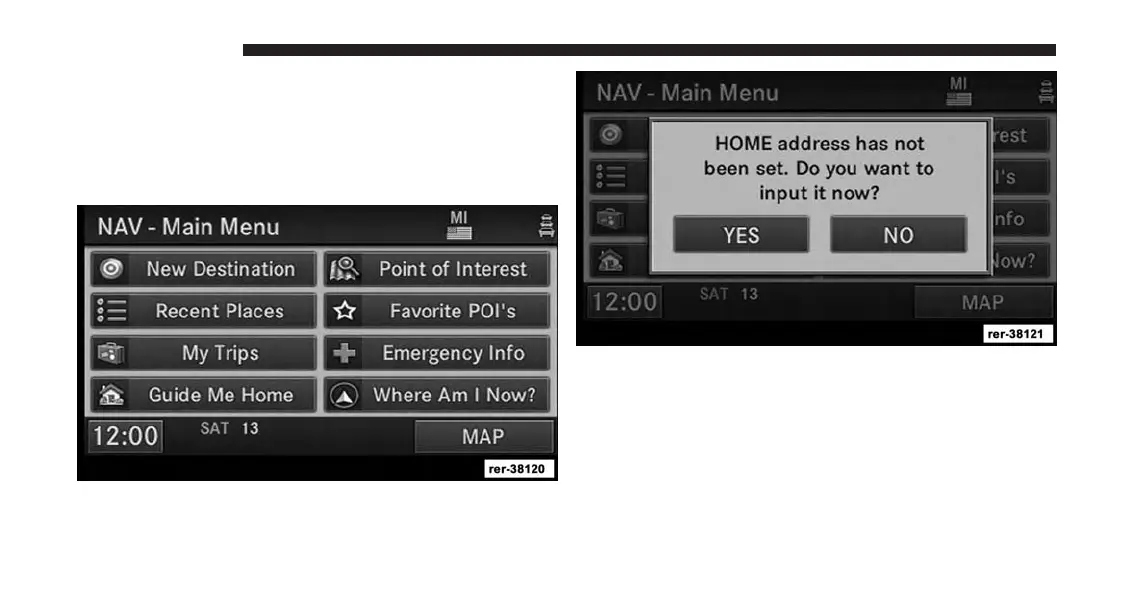
If the radio does not display the NAV - Main Menu,
press the NAV hard-key again, or touch the MAIN
MENU soft-key on the display.
2. Touch the Guide Me Home soft-key to enter your
home address.
If no home address has been set, touch YES to access the
Enter Home Address menu.
24 INTRODUCTION



 To Next Page