Switching SiriusXM Traffic On Or Off
1. Press the MENU hard-key on the right side of the
radio.
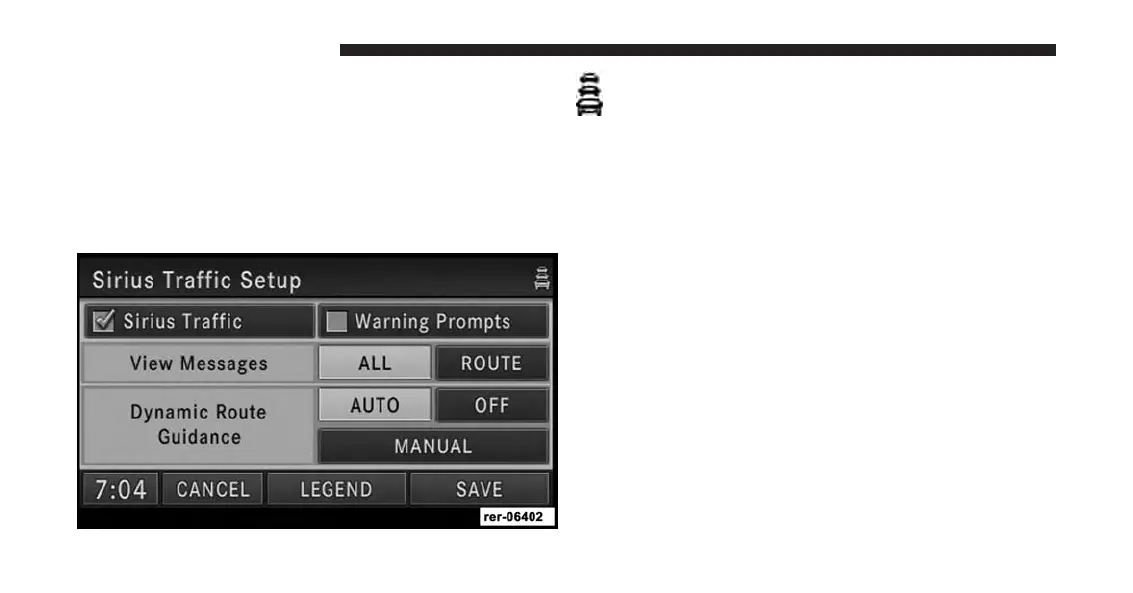
2. Touch the SiriusXM Traffic soft-key.
3. Touch Setup to access the SiriusXM Traffic Setup
menu.
The Traffic icon in the upper right corner of the
screen indicates that the Traffic receiver is on. The
green icon indicates an active subscription, the
yellow icon indicates an expired subscription. Refer to
the Re-Subscribe to SiriusXM Satellite Radio chapter in
the Radio section of this manual.
Speed And Flow
Touch the Speed and Flow soft-key to enable/disable
Speed and Flow traffic information. Once you change
settings, touch the SAVE soft-key to confirm your
changes.
View All Messages
You can view either all received messages for the area
you have a subscription, or only the messages on your
route within the same area.
204 Uconnect® GPS Navigation



 To Next Page