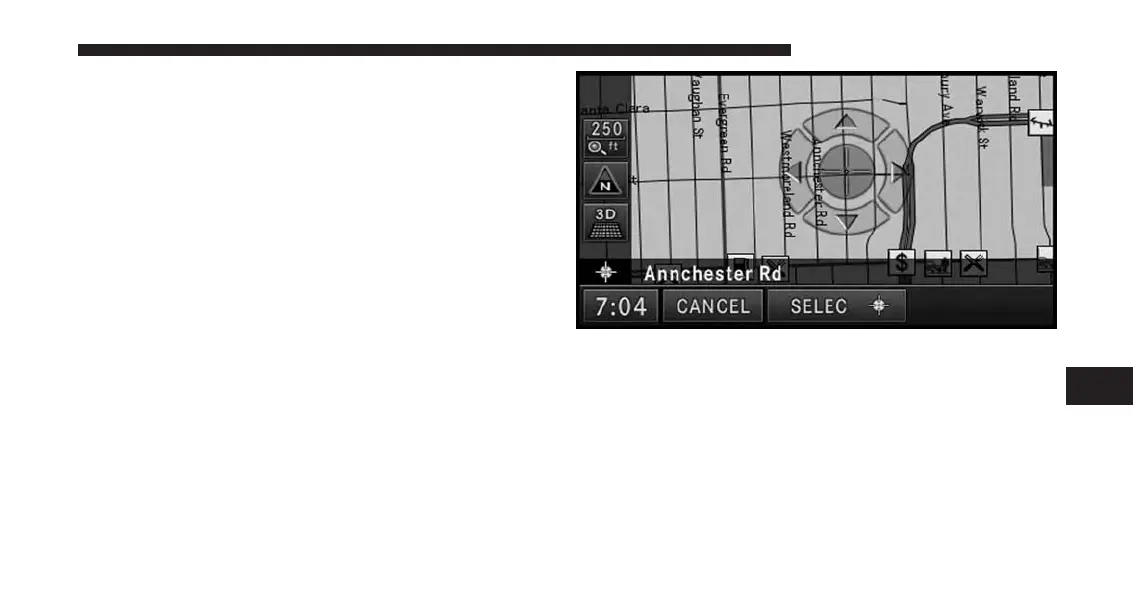
Destination Input By Point on Map
This feature allows quick and easy selection of a destina-
tion directly from the map screen. By selecting a street
segment or POI icon, you can quickly enter a destination
without the need to input the city name or street.
NOTE:
This feature is also available while the vehicle is in
motion.
1. Touch the MAP soft-key in the NAV - Main Menu to
access the map.
After touching the map on the screen, a set of arrows
appears.
2. Use the arrows to navigate the center of the cross over
the desired destination.
3. Either touch the SELECT soft-key to select the desti-
nation, or touch the POIs soft-key to see a list of POIs
in the selected area.
7
Uconnect® GPS Navigation 163



 To Next Page