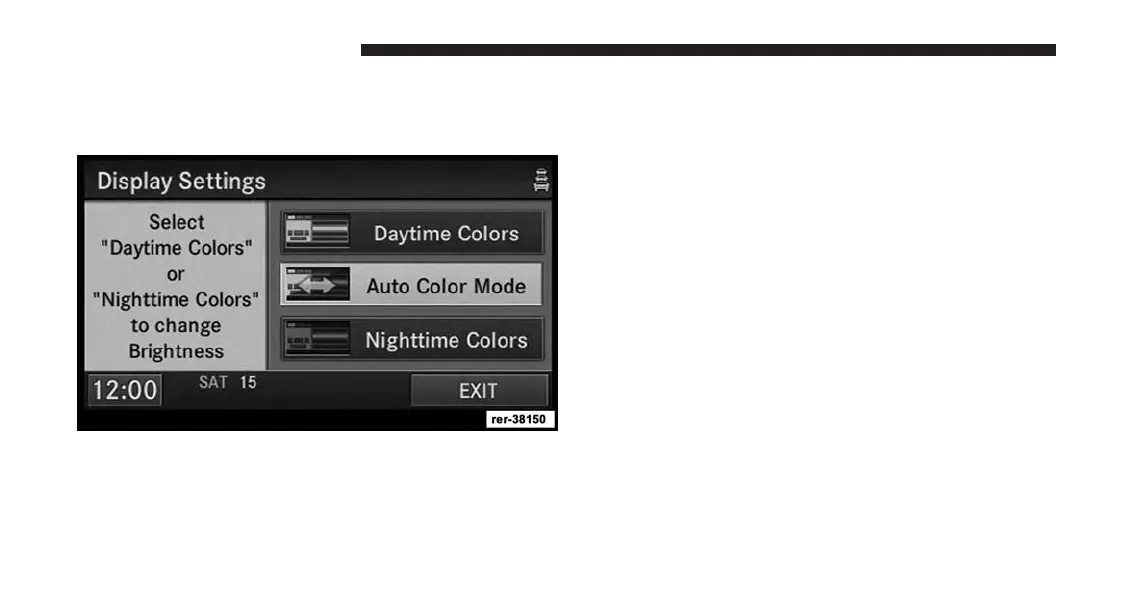
Display Settings
Press the MENU hard-key and touch the Display Settings
soft-key to access the Display Settings menu.
Select the Daytime Colors soft-key to switch to manual
daytime mode and to adjust the brightness of the display
using daytime colors.
Select the Nighttime Colors soft-key to switch to manual
nighttime mode and to adjust the brightness of the
display using nighttime colors.
Select the Auto Color Mode soft-key to switch to auto-
matic daytime/nighttime mode and to control the bright-
ness of the display using the dimmer switch of the
vehicle.
Touch the EXIT soft-key to save your settings and to
return to the AM/FM/SAT Menu.
Screen-saver
To activate the screen-saver press the MENU hard-key
and touch the Screen Saver soft-key.
Once the screen saver is active, press any hard-key or
touch the display to deactivate it.
54 Uconnect® Multimedia (RADIO)



 To Next Page