Playing Audio Files from an external USB device
You can play songs directly from an external USB device,
by connecting the device to the radio, or to the secondary
USB port (if equipped, typically located in the glove box
or center console). The radio will find the music files and
starts playing automatically.
NOTE:
Refer to www.DriveUconnect.com for information on
device compatibility and functionality support.
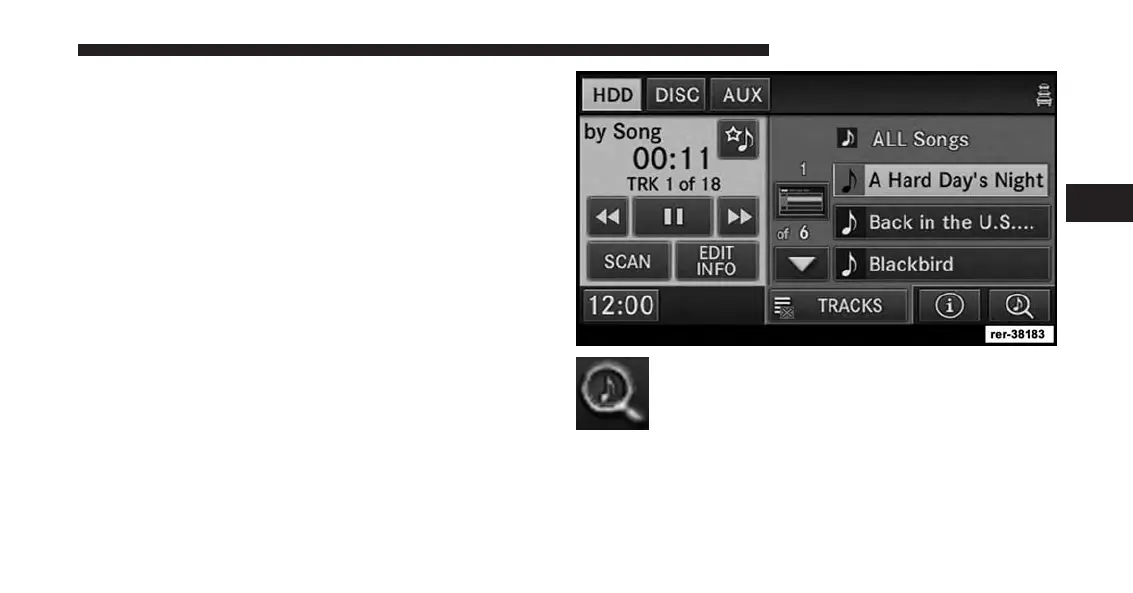
Playing Audio Files From The Hard Disk Drive
Press the RADIO/MEDIA hard-key and select the HDD
tab. You can play songs directly from the internal hard
disk drive.
Touch the SEARCH/BROWSE soft-key to se-
lect an available category.
The navigation radio can sort the files by artist, by album,
by song, by genre, from a folder, or from Favorites.
3
Uconnect® Multimedia (MEDIA) 79



 To Next Page