It is possible to set the time manually (ahead or behind
actual GPS time), by pressing the USER CLOCK soft-key.
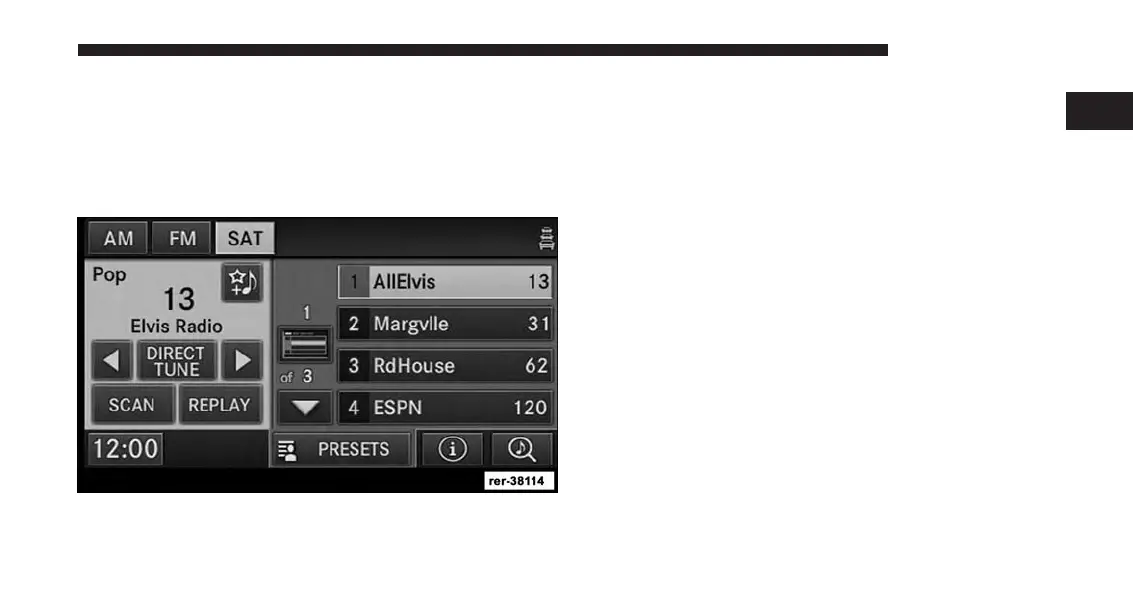
Store Radio Presets
1. Press the Radio Media hard-key until AM FM SAT is
displayed in the upper left corner of the screen.
2. Select the radio band by touching either the AM, FM
or SAT soft-key.
3. Either press the SEEK up/down hard-keys, or touch
the SCAN soft-key, DIRECT TUNE soft-key, or the left
and right arrows to change the currently playing
station.
4. Touch and hold one of the station preset soft-keys for
two seconds and you will see the highlighted soft-key
change from green to beige. You will also see the radio
station stored in the highlighted soft-key, and you will
hear a confirmation beep when the station is saved.
NOTE:
If the preset list is not displayed press the PRESETS
soft-key, located in the bottom line of the screen,
repeatedly until the preset list is displayed.
1
INTRODUCTION 19



 To Next Page