NOTE:
If the first street of the intersection was not entered
accurately, the second street may not be found.
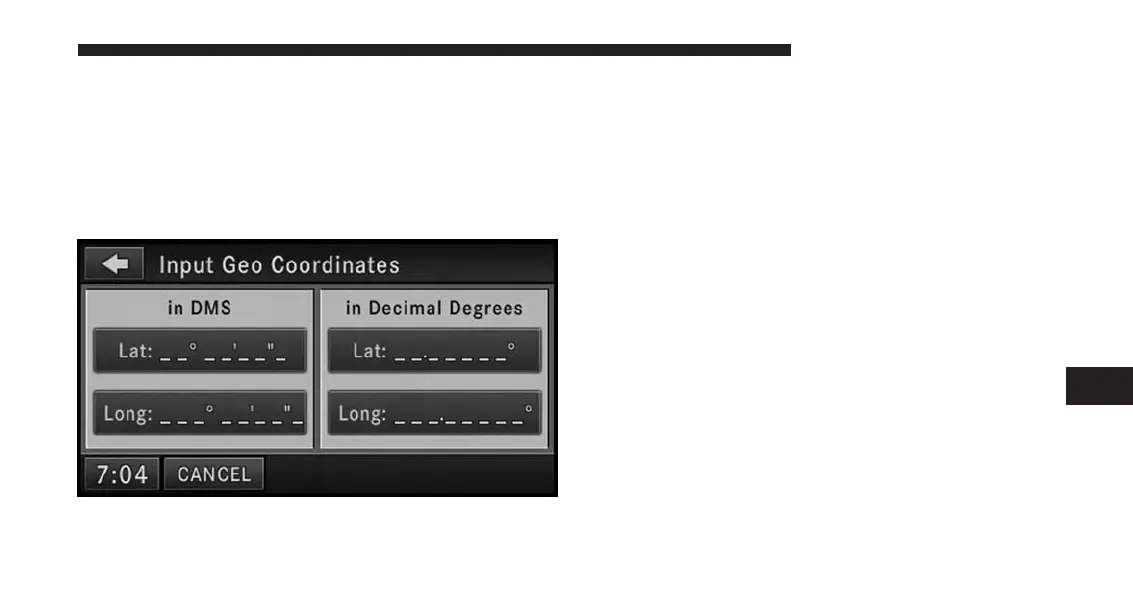
Destination Input By Geo Coordinate
Touch the Geo Coordinate soft-key in the Destination
Entry screen.
To enter a Geo Coordinate as a destination, simply touch
the Lat: soft-key and enter the latitude, then touch the
Long: soft-key to enter the longitude.
Destination Input By Favorite Places
Touch the Favorite Places soft-key in the Destination
Entry Menu.
NOTE:
The Favorite Places soft-key is disabled if the favorite
places memory is empty. To fill the favorite places
memory, you must save a location as a Favorite Place
from the Where Am I Now? Menu or by saving current
destination in the NAV options screen in after a desti-
nation has already been entered.
7
Uconnect® GPS Navigation 161



 To Next Page