GPS Navigation/Satellite Radio Antenna
(Combo Antenna)
The antenna for the GPS navigation and the satellite radio is
mounted on the roof of most vehicles. Do not place items on
the roof around the roof top antenna location. Objects placed
within the line of sight of the antenna will cause decreased
performance. Larger luggage items should be placed as far
from the antenna as possible. Do not place items directly on
or above the antenna.
Other Electronic Devices
If you bring other electronic devices into your vehicle
(e.g., PDA, iPod®, laptop computer, CB Radios, etc.),
some may cause electromagnetic interference with the
GPS. If a degradation in the navigation system is ob-
served, turn the devices off, or keep them as far away
from the GPS antenna as possible.
General Handling
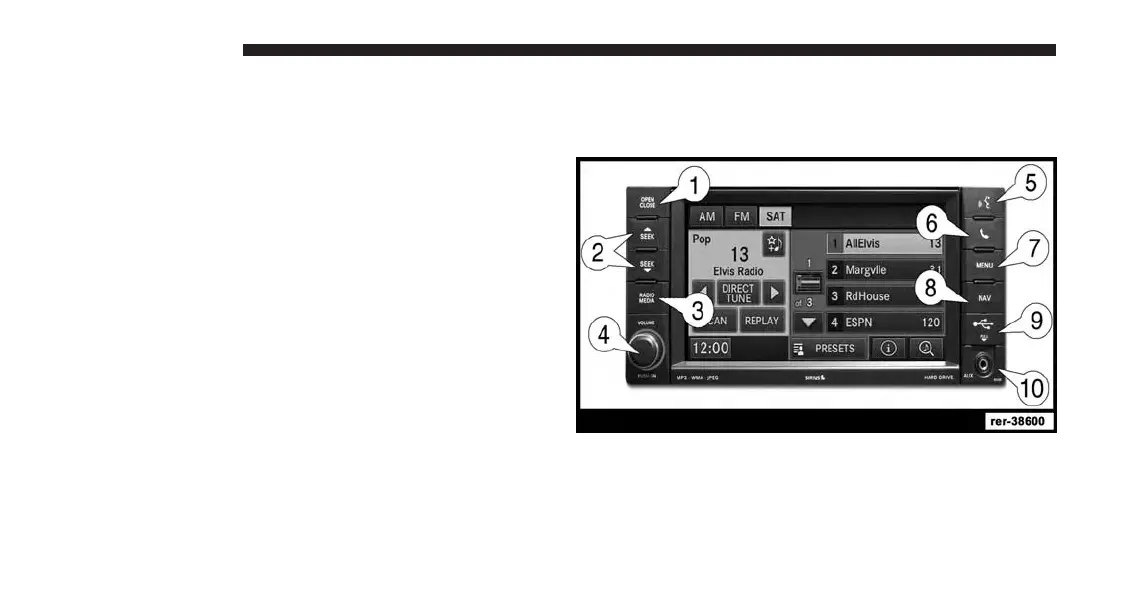
User Interface Elements
Power to operate the navigation radio is supplied
through the ignition switch, which must be in the ON,
ACC or in ACC Delay mode to operate the navigation
radio.
10 INTRODUCTION



 To Next Page