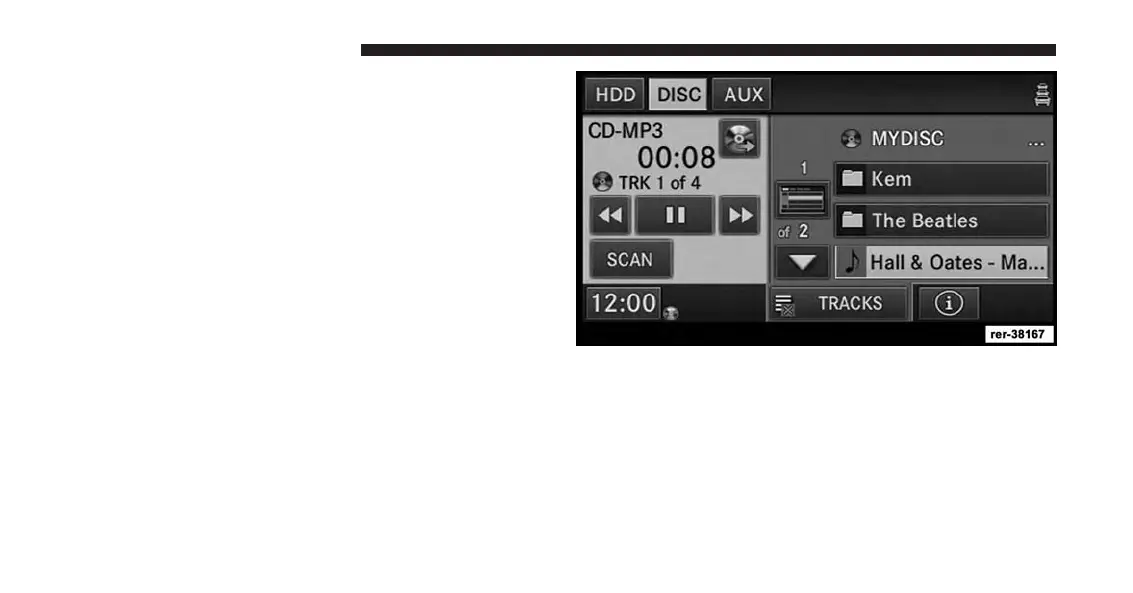
Playing a MP3/WMA Disc
1. Press the OPEN/CLOSE hard-key once.
2. With the printed side upwards, insert the disc into the
disc slot of the radio. The radio pulls the disc in
automatically and closes the flip screen. The radio
selects the appropriate mode after the disc is recog-
nized, and starts playing the first track. The display
shows “Reading...” during this process.
A MP3/WMA disc may contain audio files in a folder
structure. The folder, if any, is shown in the list view.
Touch the TRACKS soft-key if the list is not displayed.
3. Touch the soft-key with a folder symbol to open a
folder.
66 Uconnect® Multimedia (MEDIA)



 To Next Page