9.2 Home
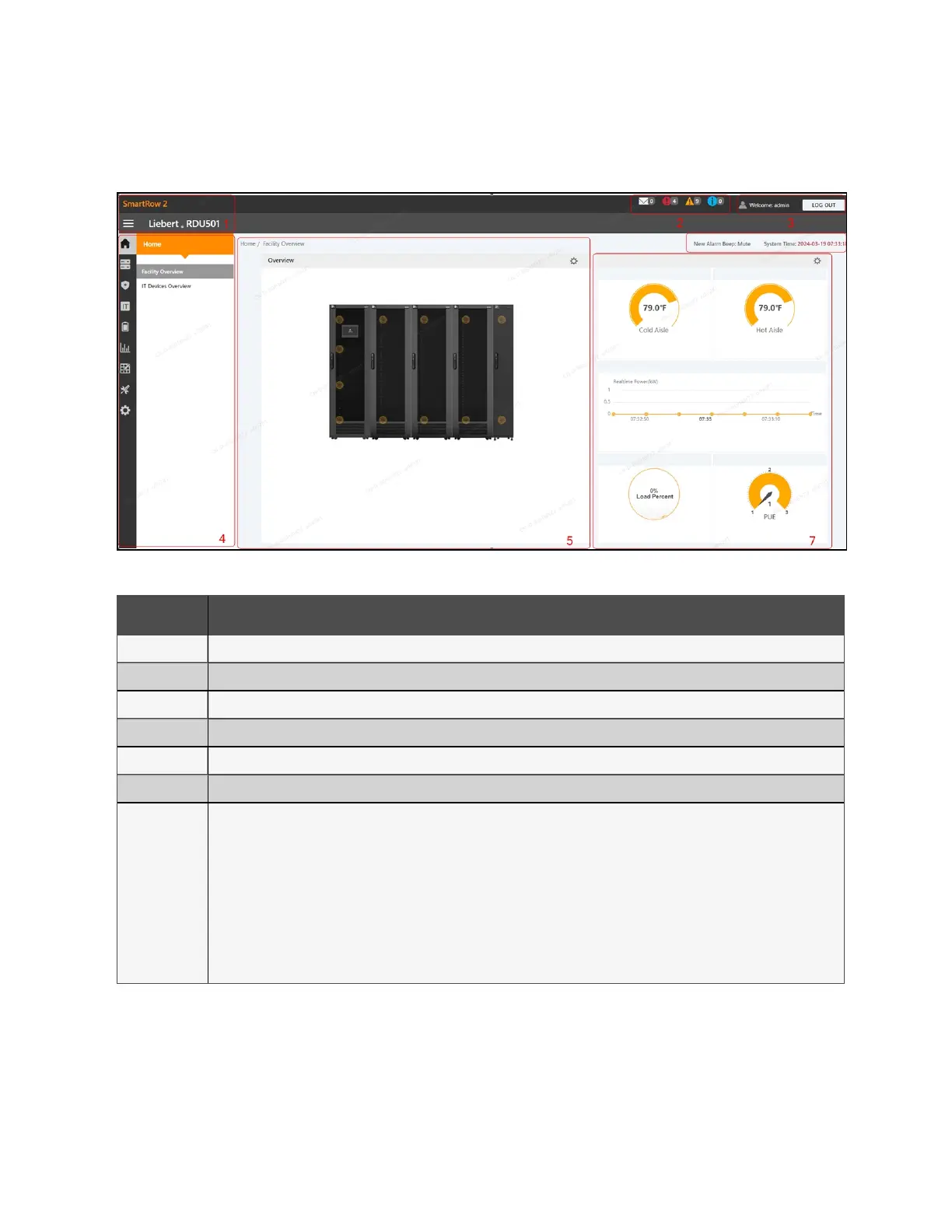
Figure 9.4 Home Page Overview
Number Description
1 Product name
2 Real-time number of alerts for all levels, including ITEvents/Alarms, Critical Alarms, Moderate Alarms, and Low Alarms.
3 Current user information
4 Menu item
5 Overview of room information
6 Alarm alert and system time
7
Critical system information, including the following:
• Aisle Temperature: the average temperature of the cold and hot aisles in the module. For details about
the temperature sensor of the rack in the module, see the Vertiv™ Liebert® RDU501 Intelligent Monitoring
Unit User Manual shipped with the unit and located on www.Vertiv.com.
• Real-time Power: the current power levels of the system. For details, see Power Management (Mgmt) on
page103 .
• Energy Consumption: the current system load rate and PUE. For details, see Power Management (Mgmt)
on page103 .
Table 9.2 Home Page Overview
To navigate through the Home page:
From the left-hand sidebar, click the Home icon to perform the following functions:
• View and access two submenus: Facility Overview (includes Power and Environment overview) and ITDevices
Overview. These submenus are described in the subsequent sections.
• Access the Time Calibration page by clicking the system time in the top right corner.
9 Vertiv™ Liebert® RDU501
Intelligent Monitoring Unit Web User
Interface (UI)
Proprietary and Confidential ©2024 Vertiv Group Corp. 95
Vertiv™ SmartRow™ 2 Infrastructure Solution User Guide



 To Next Page