8 LCDScreen Overview
After initially powering on the system, debugging procedures must be performed according to the system model. The
procedures include configuring system parameters, such as setting the system layout, language, passwords, network, and so
on. This chapter describes the monitoring capabilities of the SmartRow™ 2 infrastructure solution, including feature
descriptions of the system's LCDscreen and web UI.
The SmartRow™ 2 infrastructure solution includes an LCD screen where you can access the system's web UI. The web UI
allows you to manage and view the following pages:
• Home
• Thermal Management
• Power
• Environment
• Alarms
• Logs
• Settings
For more information on these features, please refer to the subsequent sections.
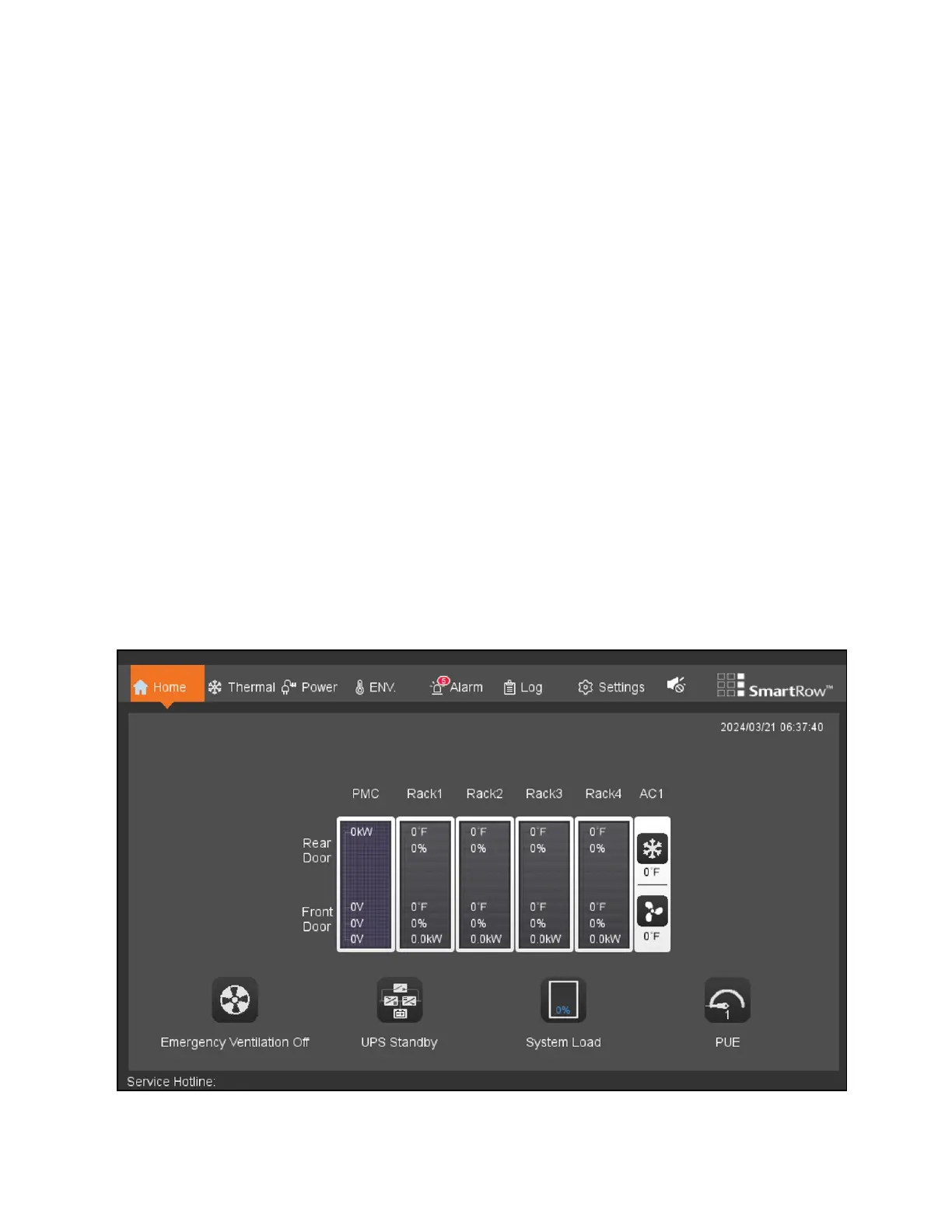
8.1 Home
The Home page displays system functions , performance parameters, and critical system parameters.
Figure 8.1 Home
8 LCDScreen Overview Proprietary and Confidential ©2024 Vertiv Group Corp. 71
Vertiv™ SmartRow™ 2 Infrastructure Solution User Guide



 To Next Page