7.5 Cooling Systems
Before setting the IP address, complete the following:
1. Directly connect the computer network port to the communications card using a network cable.
2. Set the IP address of the computer's corresponding interface to the same network segment as the default IP of
the Vertiv™ Liebert® IntelliSlot™ Unity communications card (169.254.24.7). After setting the computer IP,
proceed to the next procedure.
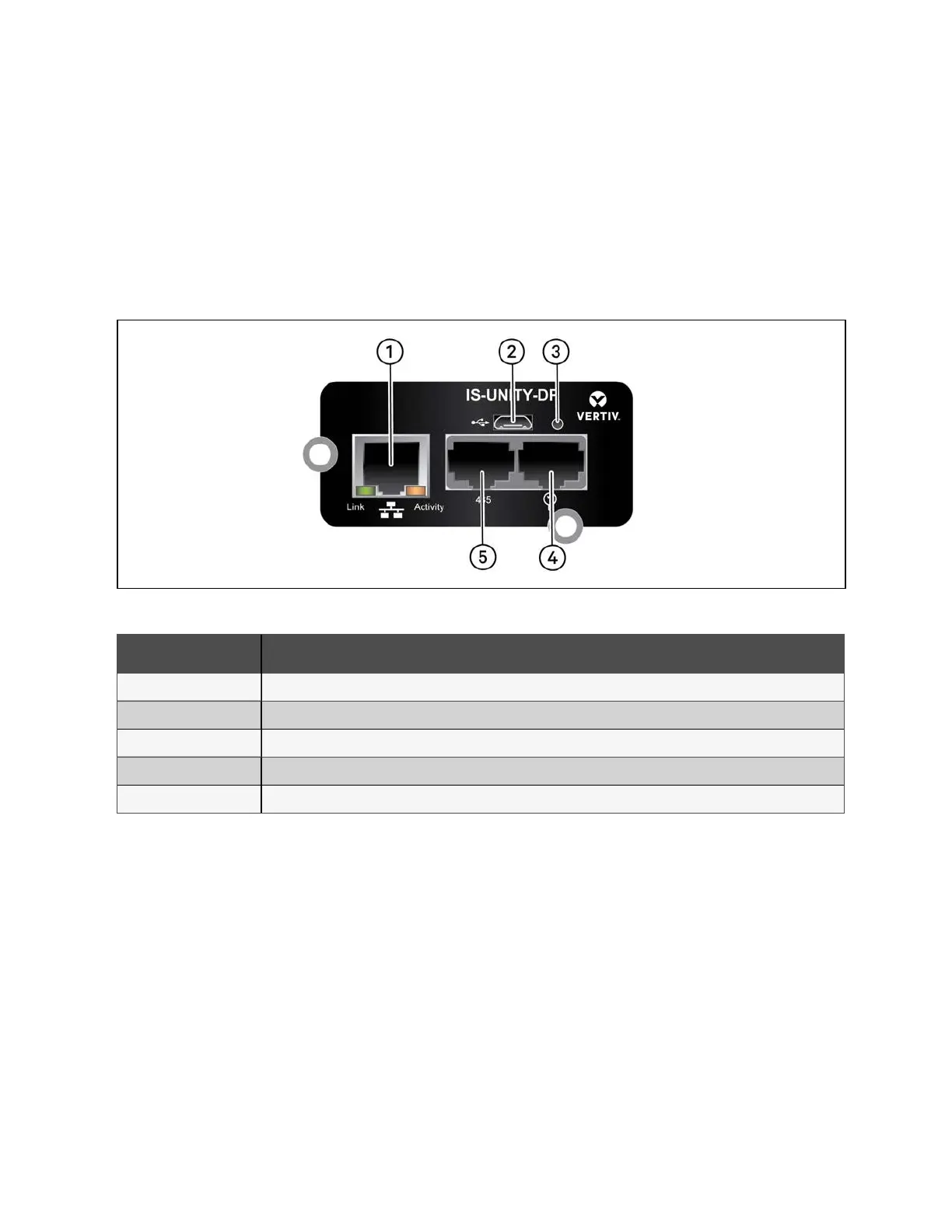
Figure 7.12 Vertiv™ Liebert® IntelliSlot™ Unity Communications Card
Number Description
1 RJ-45 Ethernet port
2 Micro-USB port
3 Reset button
4 Liebert™ sensor-network ports (SN sensors only)
5 RS-485 port (BACnet/MSTP, Modbus RTU or YDN23. Only one may be used)
Table 7.6 Vertiv™ Liebert® IntelliSlot™ Unity Communications Card
To set the cooling system IP address:
1. Log into the Vertiv™ Liebert® IntelliSlot™ Unity communcations card web UI using the default credentials
Liebert/Liebert.
7 Network Settings Proprietary and Confidential ©2024 Vertiv Group Corp. 59
Vertiv™ SmartRow™ 2 Infrastructure Solution User Guide



 To Next Page