5.7 Air Conditioner Door Status Communication Cable
To connect the air conditioner door status communication cable:
Refer to the Air Conditioner Wiring Diagram in the Vertiv™ SmartRow™ 2 Submittal Addendum located on www.Vertiv.com.
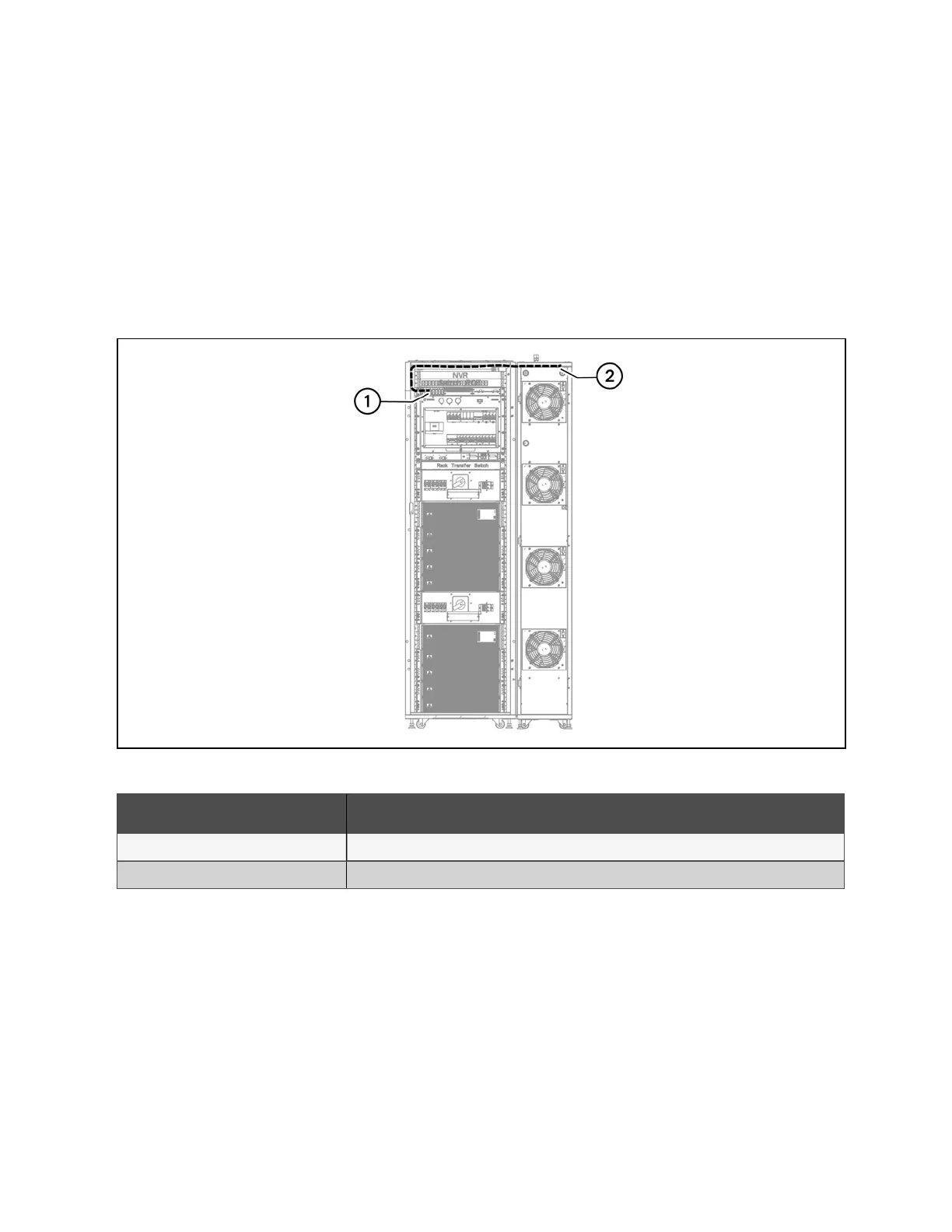
The following figure shows the routing path.
NOTE: If two air conditioners are selected, connect two communication cables.
NOTE: Select the length of the communication cable in accordance with the air conditioning position.
Figure 5.7 Air Conditioner Door Status Communication Cable Connection
Number Description
1 Monitoring unit smoke 1 port
2 Air conditioning front door micro-switch
Table 5.9 Air Conditioner Door Status Communication Cable Connection
5 Communication Cable Connections Proprietary and Confidential ©2024 Vertiv Group Corp. 41
Vertiv™ SmartRow™ 2 Infrastructure Solution User Guide



 To Next Page