Parameter Description
System running PUE -
NOTE:
1: The icon number automatically adjusts based on the system configuration.
8.2 Thermal
8.2.1 Sampling
To access and navigate the Thermal Sampling page:
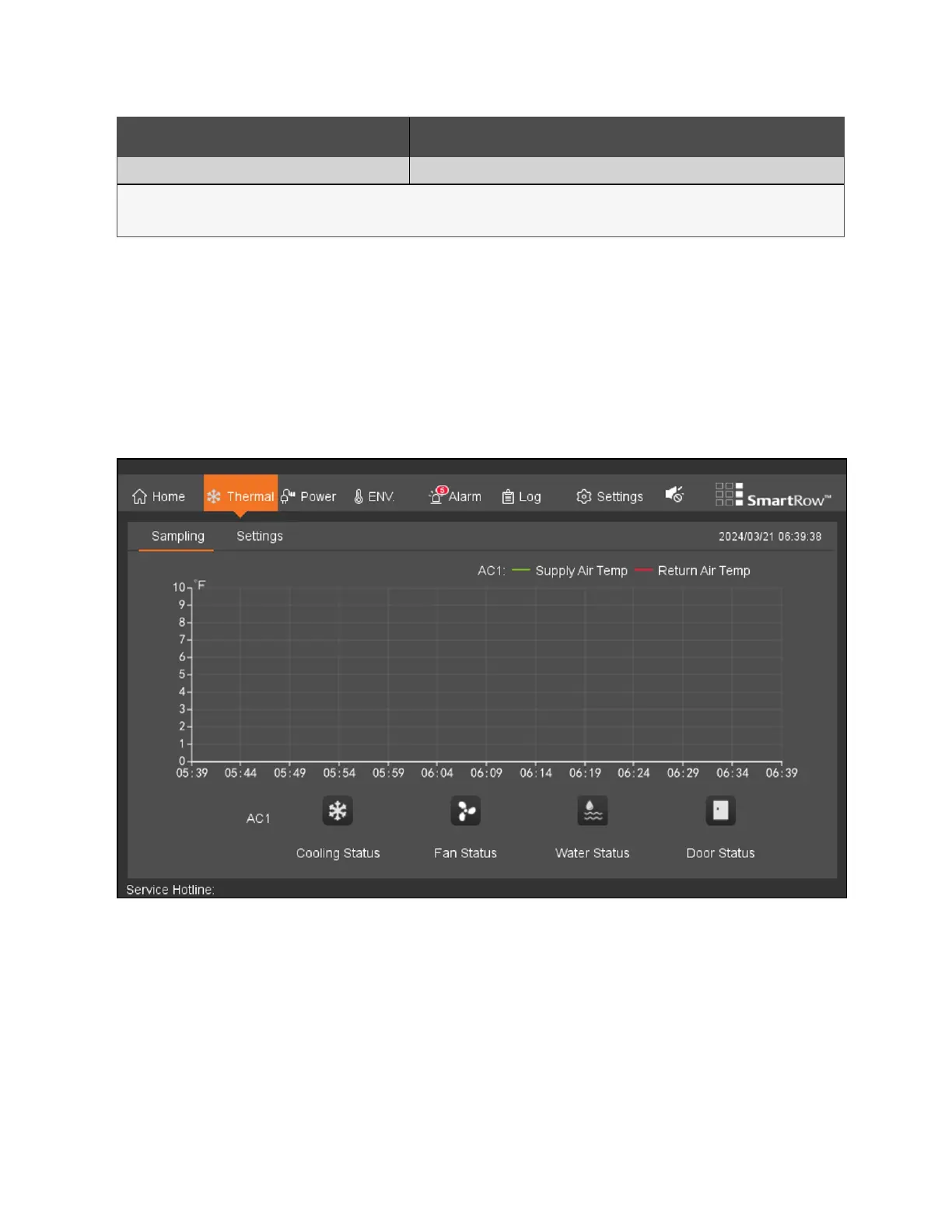
From the top navigation bar, click Thermal - Sampling. On this page, you can view the rendering of the collected conditioned
air back to state temperature profile and air conditioning components. See the following figure for reference.
Figure 8.2 Thermal Sampling Page
Note the following information about the Thermal Sampling page:
• Return air temperature profile cross-ordinate the adaptive adjustment shaft, a fade quadrant grid background
baseline sampling period: 6S, duration curve: 1h
• And the cooling fan state to the operating state, the corresponding icon is animated; alarm flood state is, icon
animation.
• Door status icon static display, the door opened and closed the door to a different style static icon.
• Thermal management page conditioned state display means are iconic, no corresponding text description.
8 LCDScreen Overview Proprietary and Confidential ©2024 Vertiv Group Corp. 73
Vertiv™ SmartRow™ 2 Infrastructure Solution User Guide



 To Next Page