8.3.2 PDU
To access and navigate the Power - PDU page:
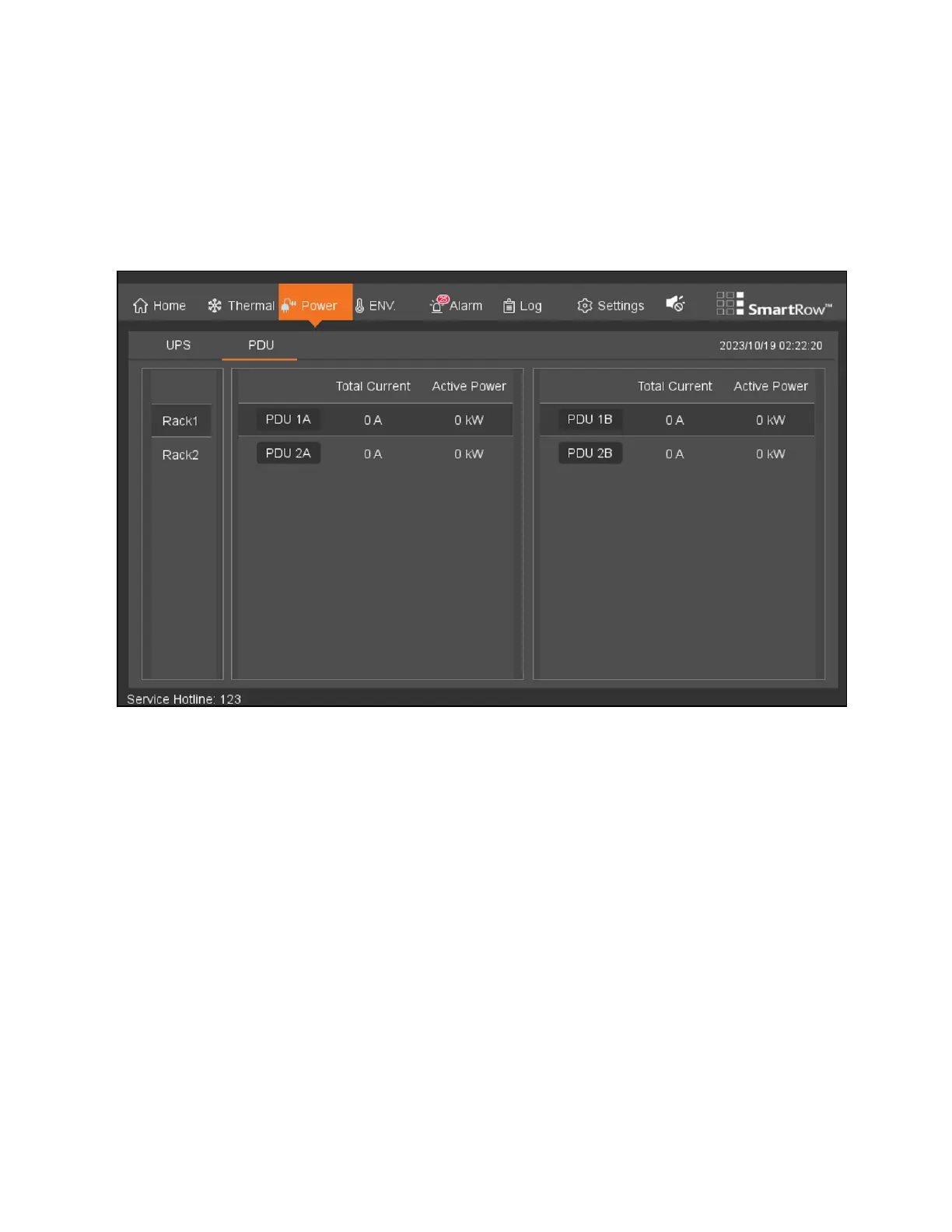
From the top navigation bar, click Power - PDU.The PDU tab displays the total current and active power of eachPDU
distribution, as shown in the following figure.
Figure 8.7 PDU Tab
8.4 Environment
8.4.1 Sampling
To access and navigate the Environmental Sampling page:
1. From the top navigation bar, click ENV - Sampling. This page displays the current environmental data of the rack,
including real-time values of the respective collection point temperature and humidity sensors, the state of the
front and rear doors, and the average temperature and curve moisture profile of the hot and cold aisles. See the
following figure for reference.
2. Navigate between each cabinet page by clicking the appropriate button for the cabinet. The button turns orange
when the cabinet's page is open.
8 LCDScreen Overview Proprietary and Confidential ©2024 Vertiv Group Corp. 79
Vertiv™ SmartRow™ 2 Infrastructure Solution User Guide



 To Next Page