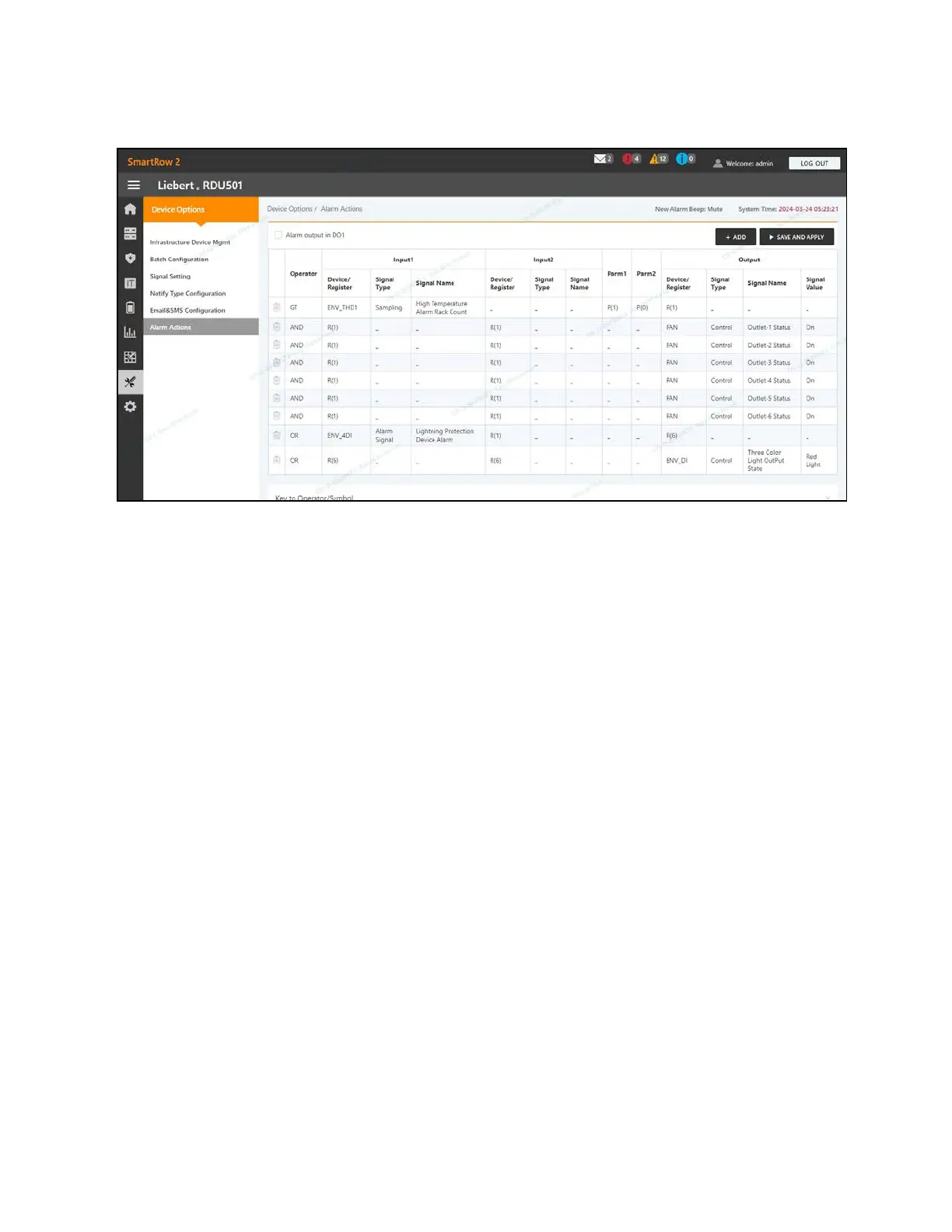
Figure 9.10 Alarm Actions Page
Note the following about the AlarmActions page:
• When at least two temperature collections points at the front door exceeds the set value, the monitoring system
generates a cabinet high-temperature alarm. This alarm disappears when the number of collection points
exceeding the value fall below two.
• When the cabinet high-temperature number is greater than 1 and the fire protection is not discharged, the
monitoring system turns on all emergency fans.
To navigate through the Alarm Actions page:
From the Device Options tab, click the Alarm Actions tab to perform the following functions:
• Enable the DO1 alarm output by checking the Alarm output in DO1 box and clicking Confirm.
• View the operator name and information for Input1-2, Parm1-2, and Output.
• View the specification of the symbol under the Key toOperator/Symbol.
• Add a new alarm linkage expression.
To set the fire alarm strategy:
The default alarm configuration of the front door 3-color red light is as follows: surge protector alarm, cabinet high
temperature ≥2, alarm (fire-fighting alarm). The fire alarm strategy can be configured from the Safe Mgmt - Fire Fighting - Fire
Alarm Strategy page.
NOTE: If the fire-fighting spray is activated, the monitoring unit turns off all emergency fans by default.
To extinguish the front door 3-color light-blue light:
Use the rocker switch located on the front panel of the PMC to turn off the light.
106 Proprietary and Confidential ©2024 Vertiv Group Corp.
9 Vertiv™ Liebert® RDU501
Intelligent Monitoring Unit Web User
Interface (UI)
Vertiv™ SmartRow™ 2 Infrastructure Solution User Guide



 To Next Page