www.wegener.com 800009-01 Rev. J 19
iPump 6400 User’s Manual
CHAPTER 3 OPERATION
3.1 Operation Overview
Most routine iPump 6400 operations are performed over the Compel network or locally
through the web-browser interface. However, front-panel control is required to switch the
unit’s software (see
3.10 Unit Software Switch on page 60) or to change some key unit
settings such as IP address, unit label, LNB LO value, and alarm/warning thresholds. It is
important to remember that while most operations are performed remotely, the
iPump 6400 does not prioritize incoming commands based on which interface is used. The
iPump 6400 treats commands from the front panel with importance equal to commands from
both the
Compel network and the browser interface. Commands are prioritized based only
on the order in which they are received. The first command received is the first one
performed. Of course, when local control is disabled by command from
Compel, no local
control is possible until re-enabled by
Compel.
In addition to introducing and describing the front-panel and web browser interfaces, this
chapter provides details on startup/shutdown of the
iPump 6400, making initial unit settings
for basic operation, and performing tasks over the web browser. The chapter is organized
into the following sections:
!"3.2 Front-panel Controls and Indicators,
!"3.3 Startup/Shutdown Procedures,
!"3.4 Front Panel Operation,
!"3.5 Front Panel Initial Unit Setup,
!"3.8 Web Browser Initial Setup,
!"3.9 iPump 6400 Operations by Function, and
!"3.10 Unit Software Switch.
Note: When operated as part of a Compel network, the iPump 6400 may at times become
unavailable for local control or may perform functions not commanded locally. For
example, the
Compel network operator may command remote iPump 6400s to
disable local control during a particular broadcast or program schedule. Also, if set
up to expect
Compel commands, the iPump 6400 may begin searching RF
channels for a
Compel signal if that signal is temporarily lost.
3.2 Front-panel Controls and Indicators
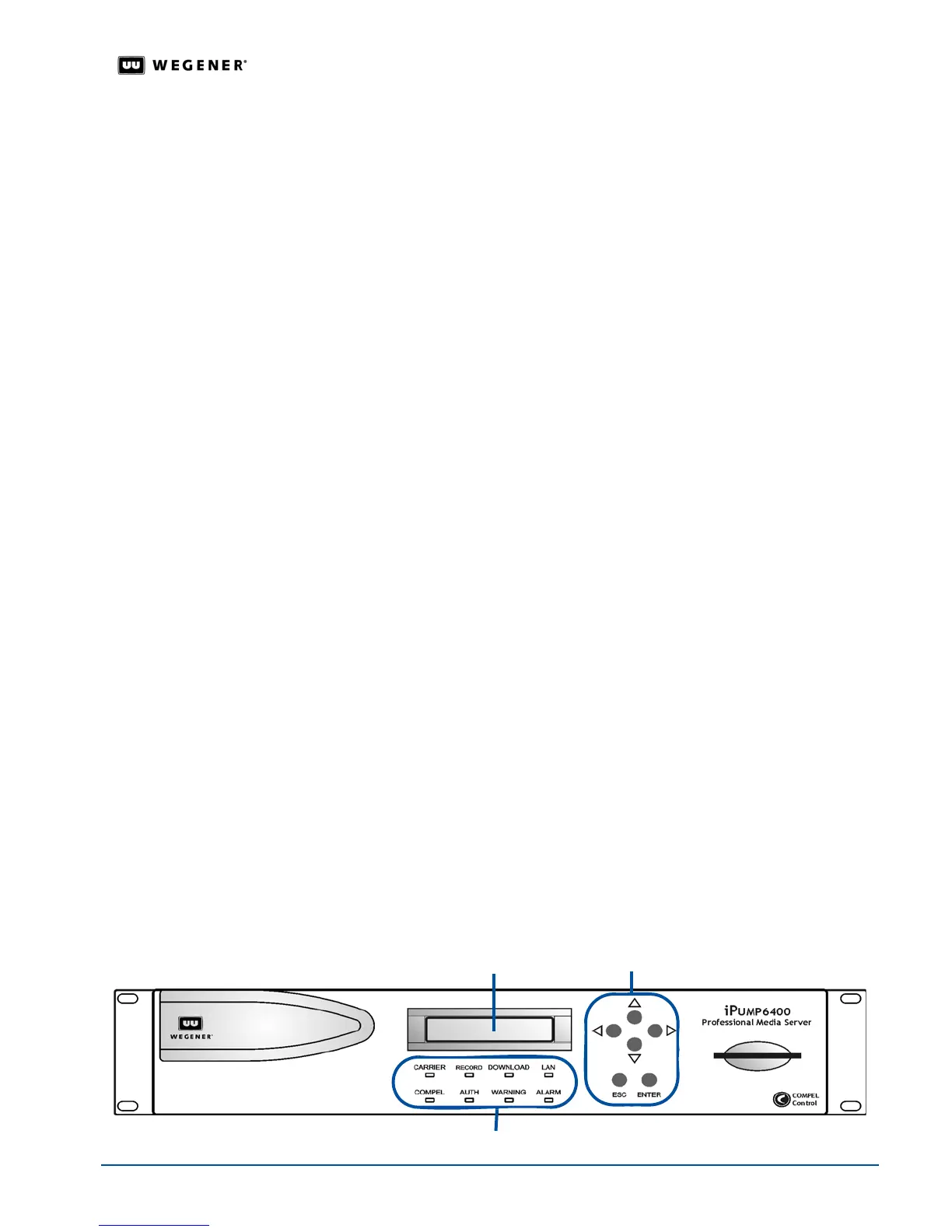
There are three major parts of the iPump 6400's front panel controls and indicators: the
liquid-crystal display (LCD), the six push buttons, and the eight LED indicators.
Figure 3.1: iPump 6400 front panel
LCD
push buttons
LED indicators



 To Next Page