www.wegener.com 800009-01 Rev. J 25
iPump 6400 User’s Manual
Web Browser
Access
You must include leading zeros in addresses entered from the iPump 6400 front panel, but
not when entering them from the browser interface. For example, IP address
128.092.050.004 (as entered from the iPump 6400 front panel) must be entered as
128.92.50.4 in the web browser.
1. Open a current-version internet browser from a computer on the LAN attached to the
iPump 6400
.
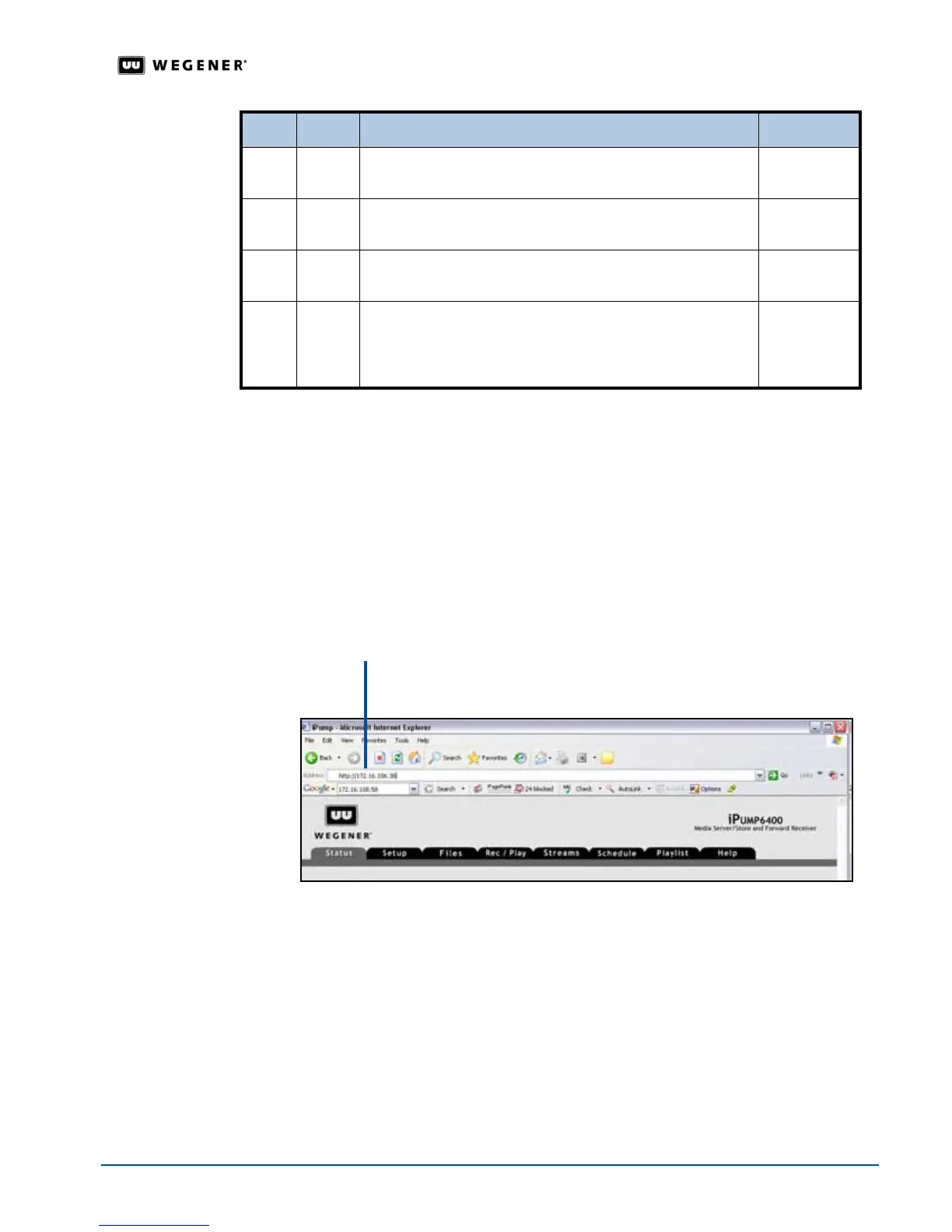
2. In the browser's address field, enter the IP address noted from the
IP Address
screen, and
then the
Status
tab of the
iPump 6400
web browser appears.
Figure 3.8: iPump 6400 web browser Status tab
7. #
IP ADDRESS
To change this field, see Editable Data Fields on page 20
Editable
8. #
SUBNET MASK
To change this field, see Editable Data Fields on page 20
Editable
9. #
GATEWAY
To change this field, see Editable Data Fields on page 20
Editable
10. #
SAVE ALL CHANGES? YES<ENTER> NO <ESC>
Press ENTER to save all the changes or press ESC to cancel
the changes. The
iPump 6400 returns you to the IP SETUP
screen.
Selectable
Step Press Displayed Screen Type
IP address with no
leading zeros



 To Next Page