www.wegener.com 800009-01 Rev. J 33
iPump 6400 User’s Manual
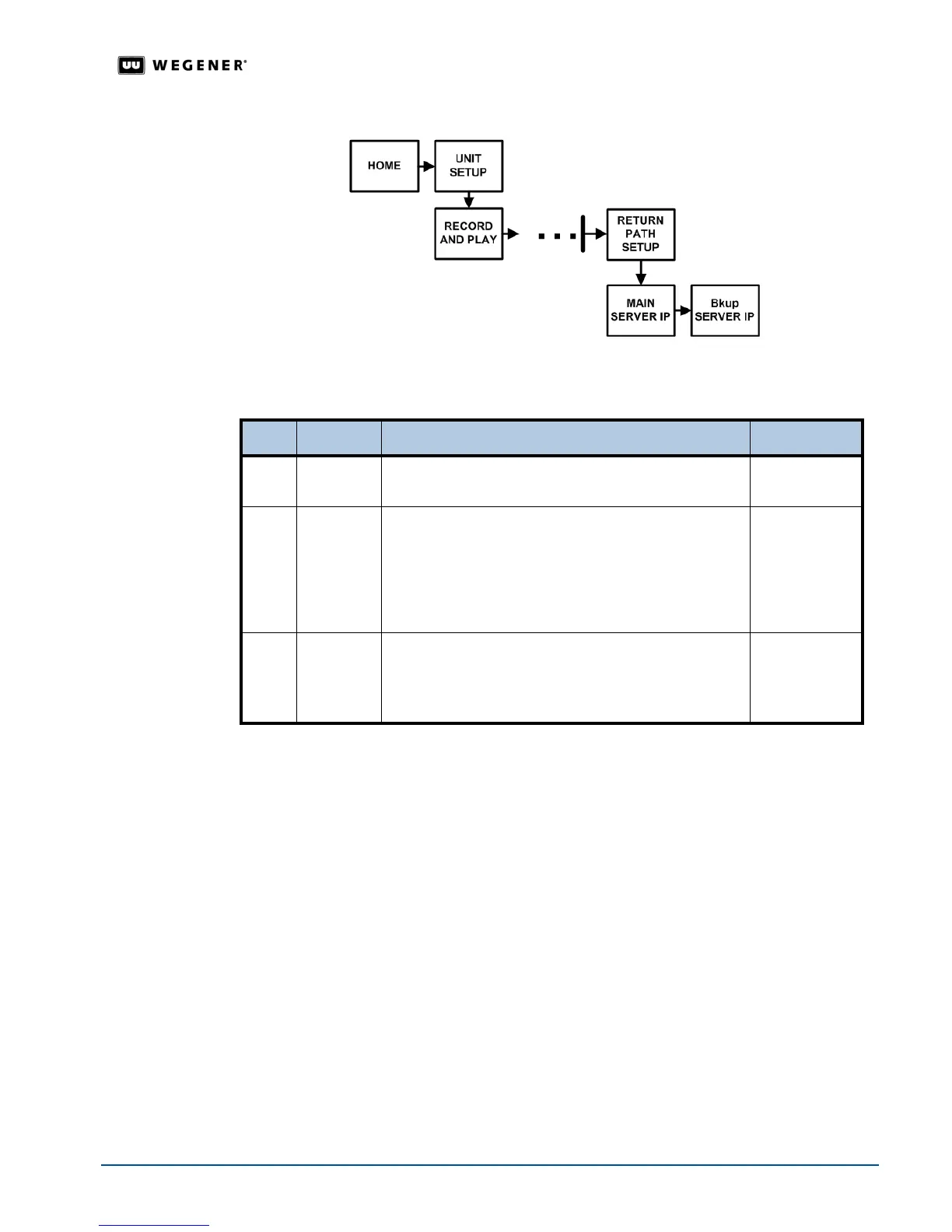
Figure 3.17: LCD menu navigation to Return Path screen
Return Path
Setup
Begin from the Return Path screen.To change the screens, see Editable Data Fields on
page 20
.
3.7 Optional Front Panel Screens
Your iPump 6400 may be configured for optional features including:
!"Modem
!"Genlock
!"SMB access control
Navigation to
Modem Setup
Screen
Use the Modem setup for configuring dial-up settings in conjunction with an Internet service
provider or a corporate e-mail server.
In addition to front panel operation, access this feature using your web browser. See
Modem Setup
on page 42.
Use the front panel navigation buttons to go to the
Modem screen as shown in Figure 3.18.
Step Press Displayed/Field Details Screen Type
1.
ENTER RETURN PATH SETUP
PRESS<ENTER>
Menu
2.
ENTER MAIN SERVER IP
000.000.00.000
Select numbers using a valid IP address provided by
your Network Control Administrator. Entering the
wrong IP address here prohibits status information
from being delivered to the network control system.
Editable
3. #
Bkup SERVER IP
000.000.00.000
Select numbers until the Backup Server IP address is
complete.
Editable



 To Next Page