www.wegener.com 800009-01 Rev. J 37
iPump 6400 User’s Manual
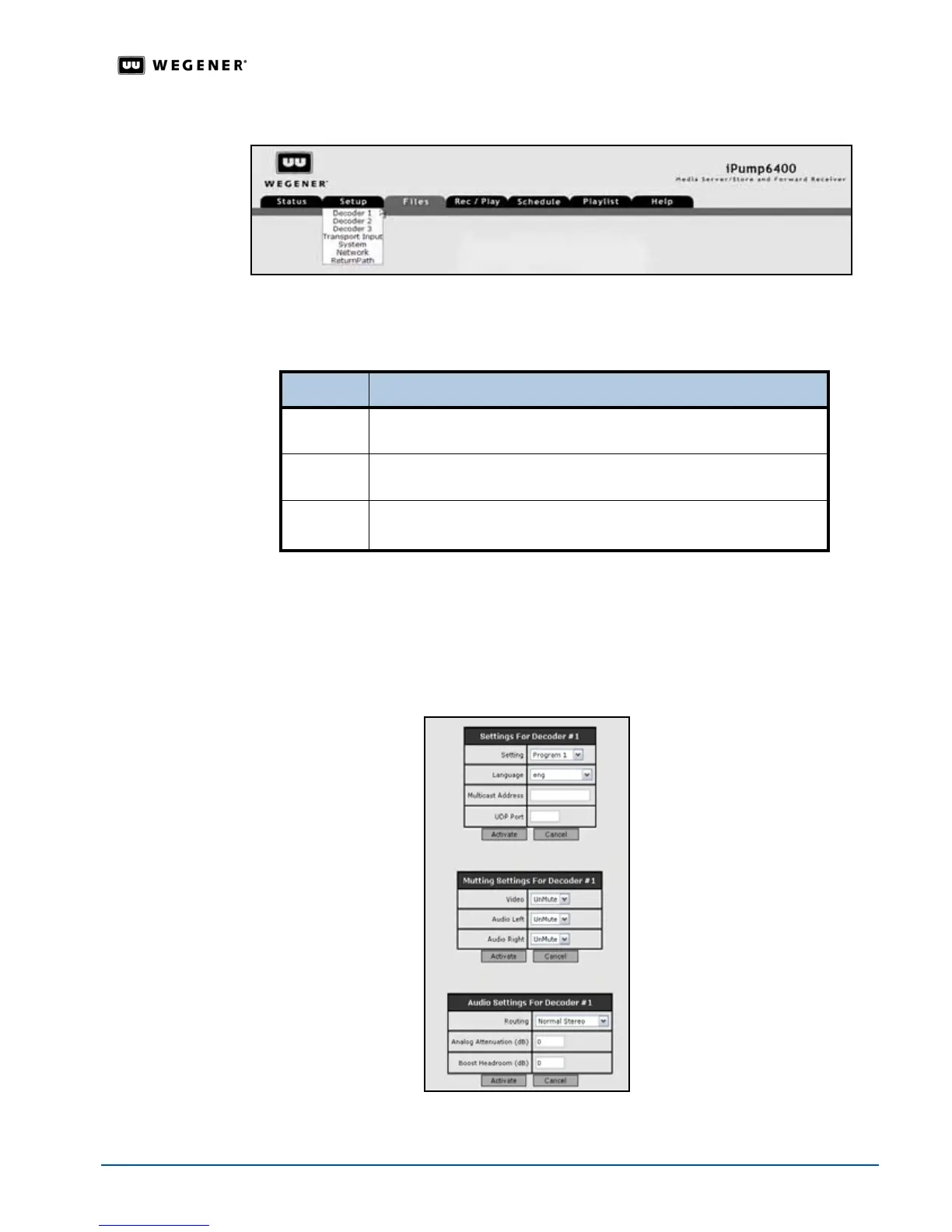
Figure 3.21: iPump 6400 web browser Setup tab
Decoder
Setup
If your iPump 6400 has the optional second decoder, then your system can simultaneously
play two live programs from the same DVB carrier.
Note: Each grouping of parameters are setup independently. Selecting
Activate or Cancel
returns you to the previous screen.
1. From the
Setup
tab, select
Decoder(#)
from the
Setup
tab’s drop-down menu.
2. Click the
Edit
button under
Settings for Decoder(#)
to change that group of parameters.
3. Update the parameters by changing the text in the text boxes or selecting a different option
from the drop-down boxes.
Decoder Operation
#1 The primary decoder, allows your system to play a single live program
from the DVB carrier.
#2 The optional second decoder, allows your system to simultaneously play
two live programs from the same DVB carrier.
#3
The optional third decoder,
allows your system to stream content to
an external SMD 515 device.



 To Next Page