www.wegener.com 800009-01 Rev. J 59
iPump 6400 User’s Manual
3. Enter the X and Y coordinates for the graphic in the
XPos
and
YPos
boxes. The maximum
X value is 512 and the maximum Y value is 480.
Note: The coordinate (0X, 0Y) is the most upper left corner of the screen.
4. Enter the time in milliseconds for the intro/outro in the
Intro/Outro Time
box. This setting
determines at what times the OSG appears and fades away during the item’s play. For
example, if the
Intro/Outro Time
is set for 1,000 msec (or a second), the OSG appears a
second after the start of the item and disappears a second before the item’s end.
Setting a start time for a playlist
T
he Playlist Builder lets you set specific start times for a playlist and its individual items. If
any item has a set start time, then the playlist must also have a start time set for the first
item. For more information on timed playlists, see
Playlist styles on page 53.
Note: When a playlist with a start time is scheduled for playback, then the decoder is
turned
off until the iPump 6400’s local system clock equals the playlist’s start time.
Caution: Start times should not be set for items that follow
Random or Sequential tagged
items since the actual play times for these cannot be determined.
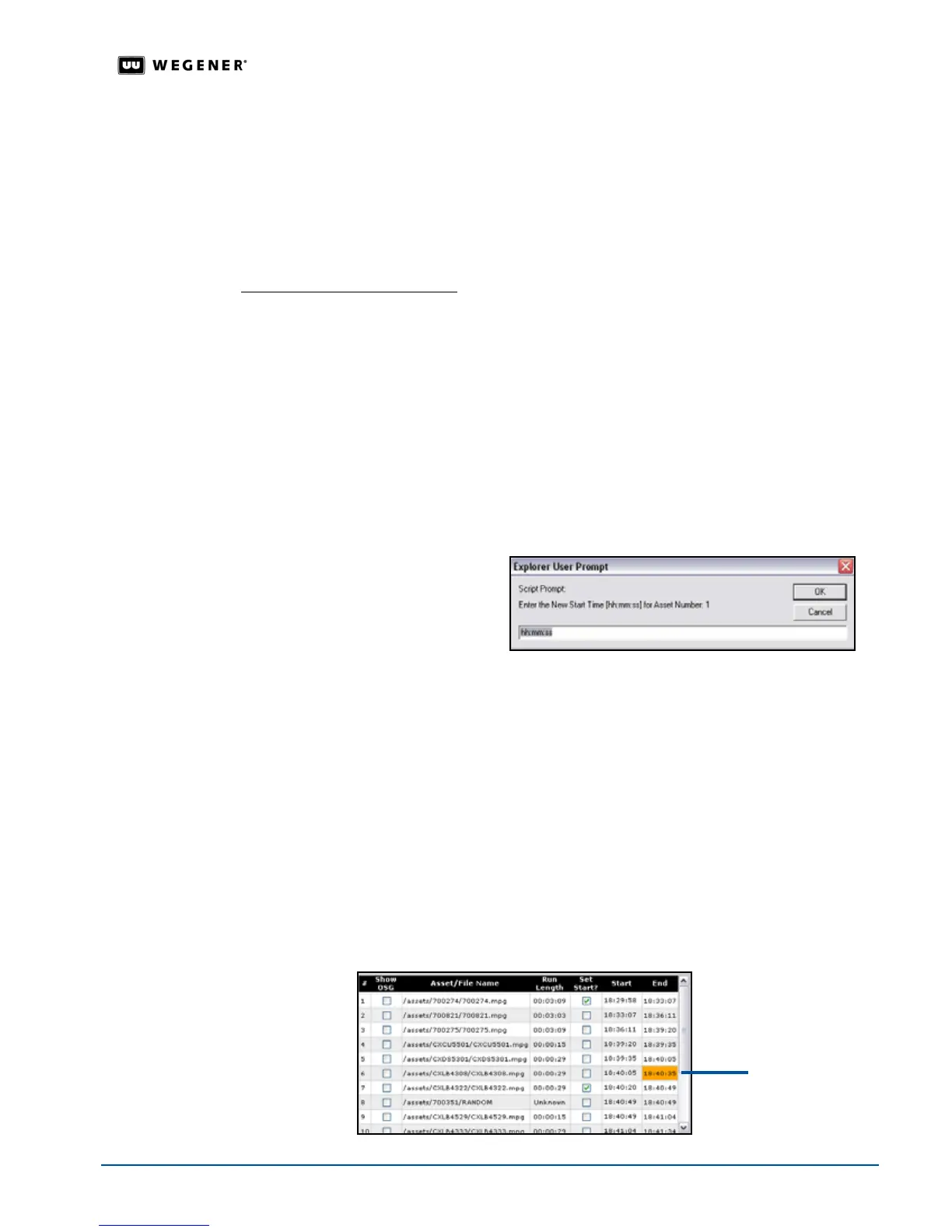
To set a start time for an item in an open playlist:
1. In the active playlist, select the
Set Start?
check box for the first item T
he Playlist Builder
opens the
Alias box for editing
.
2. Enter the start time in the hours, minutes, seconds format (
hh:mm:ss
) and click
OK
. T
he
Playlist Builder sets the new start time for the playlist.
Note: The
iPump 6400 uses a 24-hour clock, so enter 11:30 PM as 23:30:00.
3. If there are any additional items requiring a start time, select the
Set Start?
check box for
the item.
4. Enter the start time in the hours, minutes, seconds format (
hh:mm:ss
) and click
OK
.T
he
Playlist Builder sets the new start time for the item.
5. Repeat steps 3 and 4 until all start times are set.
Note: If the start time for an item interrupts the preceding item’s end time, the Playlist
Builder
highlights the preceding item’s end time in orange. If the start time for an
item lags the preceding item’s end time, the
Playlist Builder highlights the
preceding item’s end time in green.
This set start
time interrupts
the previous
end time



 To Next Page