Operation
42 800009-01 Rev. J www.wegener.com
4. To save your changes, click the
Activate
button. Any changes take effect immediately. To
discard any changes, click the
Cancel
button. Selecting
Activate
or
Cancel
returns you to
the previous screen.
Note: Date/Time Setup may also be performed from the front panel. See Navigation to
Date/Time Setup Screen
on page 30.
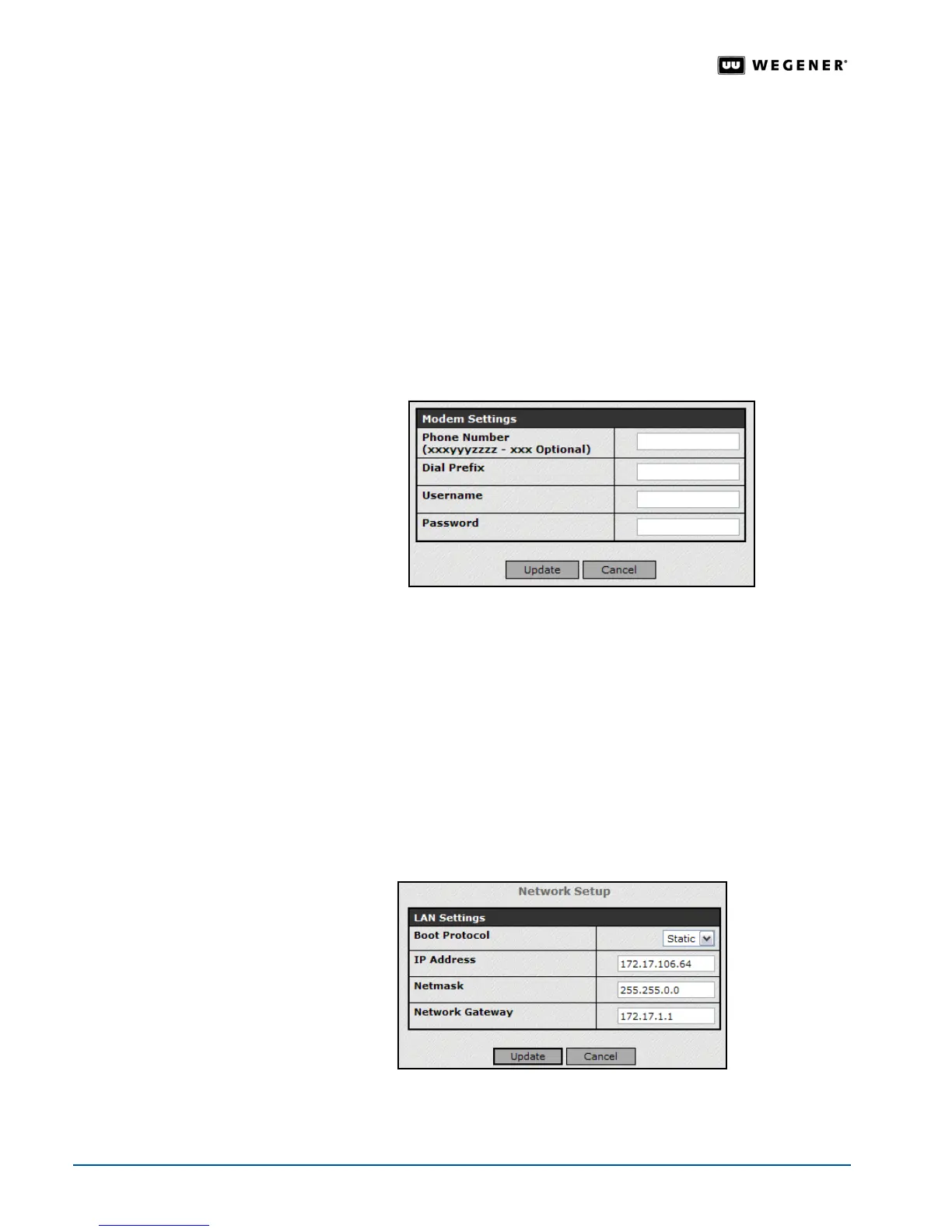
Modem Setup Use the /Modem setup for configuring dial-up settings in conjunction with an Internet service
provider or a corporate e-mail server. During entry the password is visible and then hidden
after entry for security reasons. To set this feature up from the front panel, see
Navigation
to Modem Setup Screen
on page 33.
1. From the
Setup
tab, select
ReturnPath
from the
Setup
tab’s drop-down menu.,
2. Click the
Edit
button under
Modem Settings
to change that group of parameters.
3. Update the parameters by changing the text in the text boxes.
4. To save your changes, click the
Update
button. Any changes take effect immediately. To
discard any changes, click the
Cancel
button. Selecting
Update
or
Cancel
returns you to
the previous screen.
Network
Setup
To change your network settings, be sure to enter a valid IP address from your network. The
web browser attempts to re-connect to the
iPump 6400 using the new network settings.
Entering the wrong network settings could leave you disconnected from the
iPump 6400. If
disconnected, correct the network settings using the front panel. See
Web Browser
Operations Startup
on page 24.
1. From the
Setup
tab, select
Network
from the
Setup
tab’s drop-down menu.
2. Click the
Edit
button under
Network Setup
to change that group of parameters.
3. Update the parameters by changing the text in the text boxes or selecting a different option
from the drop-down boxes.
4. To save your changes, click the
Update
button. Any changes take effect immediately. To
discard any changes, click the
Cancel
button. Selecting
Update
or
Cancel
returns you to
the previous screen.



 To Next Page