Operation
48 800009-01 Rev. J www.wegener.com
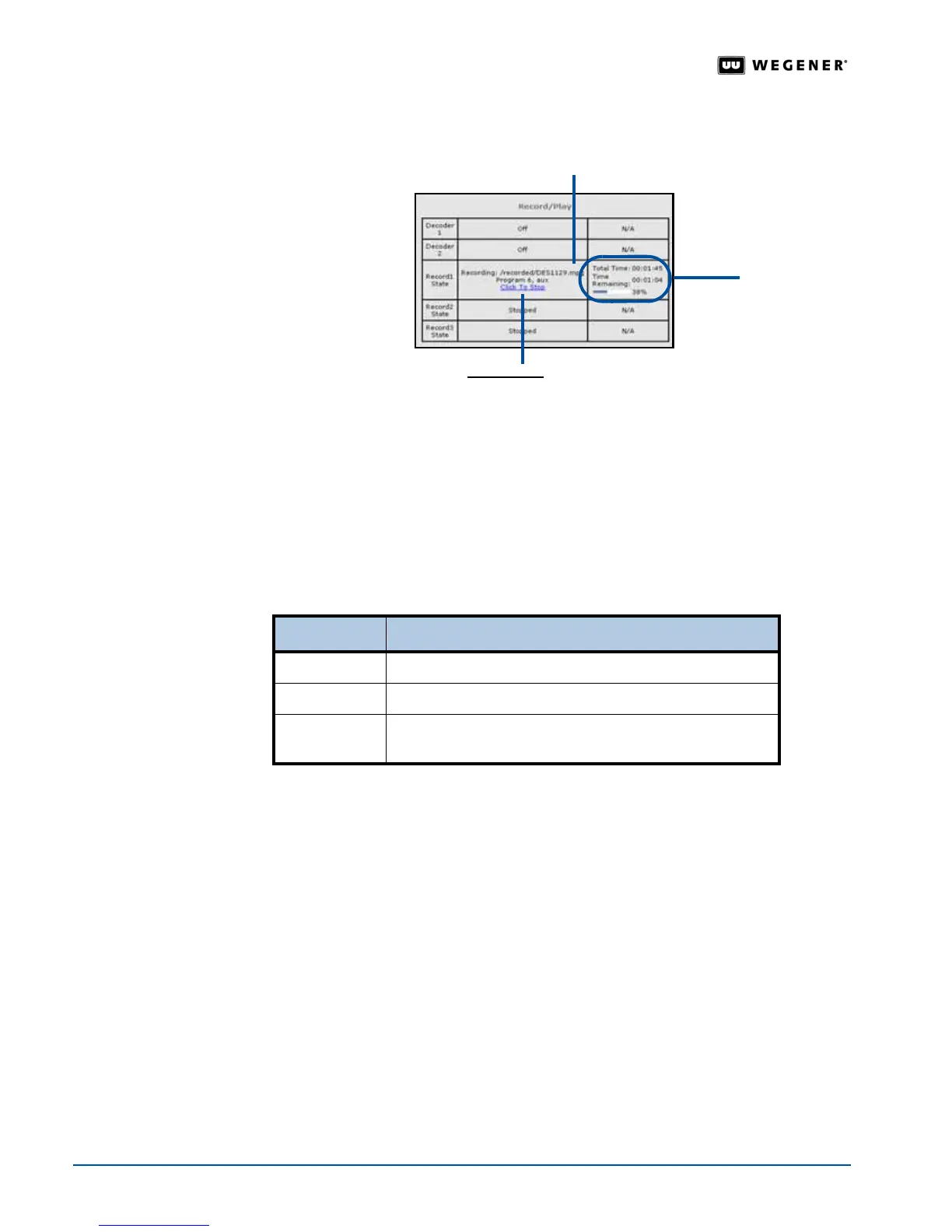
6. To stop recording before the end of the entered length of recording, click the
Click to Stop
hyperlink for the appropriate file on the
Record/Play
chart.
Play
Recorded
Program File
Use the File Playback box to play a recorded file or a playlist. For more on playlists and
creating them, see
About Playlists on page 53 and Playlist Procedures on page 54.
Use the following steps to play a recorded or previously downloaded program file:
1. Click the
Rec/Play
tab on the web browser.
2. Under
File Playback
, select either a playlist from the
Play a Playlist
list or a file from the
Play a file
list.
3. If selecting a playlist, you may also select one of the option buttons for looping styles:
Note: Immediate style playlists support looping styles while timed playlists ignore them.
For more information see,
Looping Styles on page 54.
4. If selecting a file, click the filename under the
Play a file
list. To navigate the list:
!"The file size in bytes is shown in parentheses adjacent to each filename.
!"The name of the current directory is shown just above the list of files.
!"To view file names in the next higher directory, double click [-Previous Directory-] if
available.
Active recording & directory
Click to Stop
hyperlink
Time
remaining
Looping style Function
Loop on Last
repeats the last file until stopped by the user
Loop Forever
repeats the entire playlist until stopped by user
Loop N Times
repeats the entire playlist "N" times for the number of
times entered in the
Loop N Times box



 To Next Page