www.wegener.com 800009-01 Rev. J 43
iPump 6400 User’s Manual
Return Path
Setup
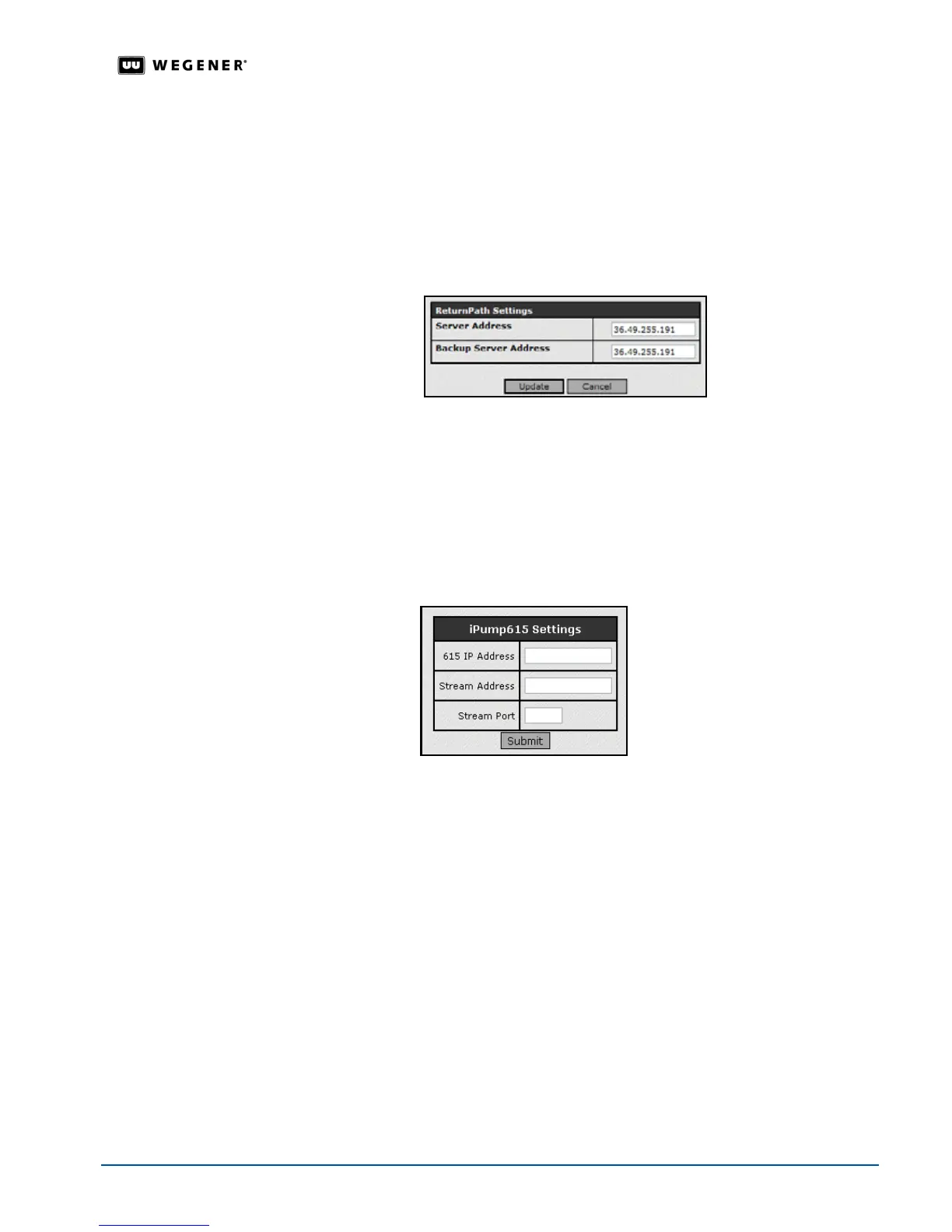
The Return Path is the communications return channel used for delivering status and
reporting information to the network control system. When setting or changing the Return
Path Server IP address, be sure to enter a valid IP address corresponding to the address
given to you by your Network Control Administrator. Entering the wrong IP address here
prohibits status information from being delivered to the network control system.
1. From the
Setup
tab, select
ReturnPath
from the
Setup
tab’s drop-down menu.
2. Click the
Edit
button under
Return Path Settings
to change that group of parameters.
3. Update the parameters by changing the text in the text boxes.
4. To save your changes, click the
Update
button. Any changes take effect immediately. To
discard any changes, click the
Cancel
button. Selecting
Update
or
Cancel
returns you to
the previous screen.
iPump 615
Setup
The iPump 615 is a peripheral decoder device capable of decoding MPEG2 Program
Streams delivered across a LAN (Local Area Network). Use the
iPump 615 Settings to have
the
iPump 615 decode a stream.
1. From the
Setup
tab, enter the
iPump 615
IP Address, Stream Address and Stream Port
settings in the text boxes.
2. To send a one-time command to the
iPump 615
, click the
Submit
button.
3.9 iPump 6400 Operations by Function
Most iPump 6400 functions can be performed either locally from the front panel or from a
web browser attached to the
iPump 6400 via an Ethernet. Web browser operation is
described in this section because after the initial configuration, most users use the web
browser rather than the front panel. Operations are listed and described by function.
Monitor
iPump 6400
Status
Monitor iPump 6400 status as follows:
1. Enter the
iPump 6400
's IP address in the address bar of the web browser.
2. The
iPump 6400
Status
tab automatically displays.
3. Click the
Show Parameters
button for additional system parameters or click the
Clear
Diagnostics
button to clear the Signal Quality diagnostic counts.



 To Next Page