www.wegener.com 800009-01 Rev. J 57
iPump 6400 User’s Manual
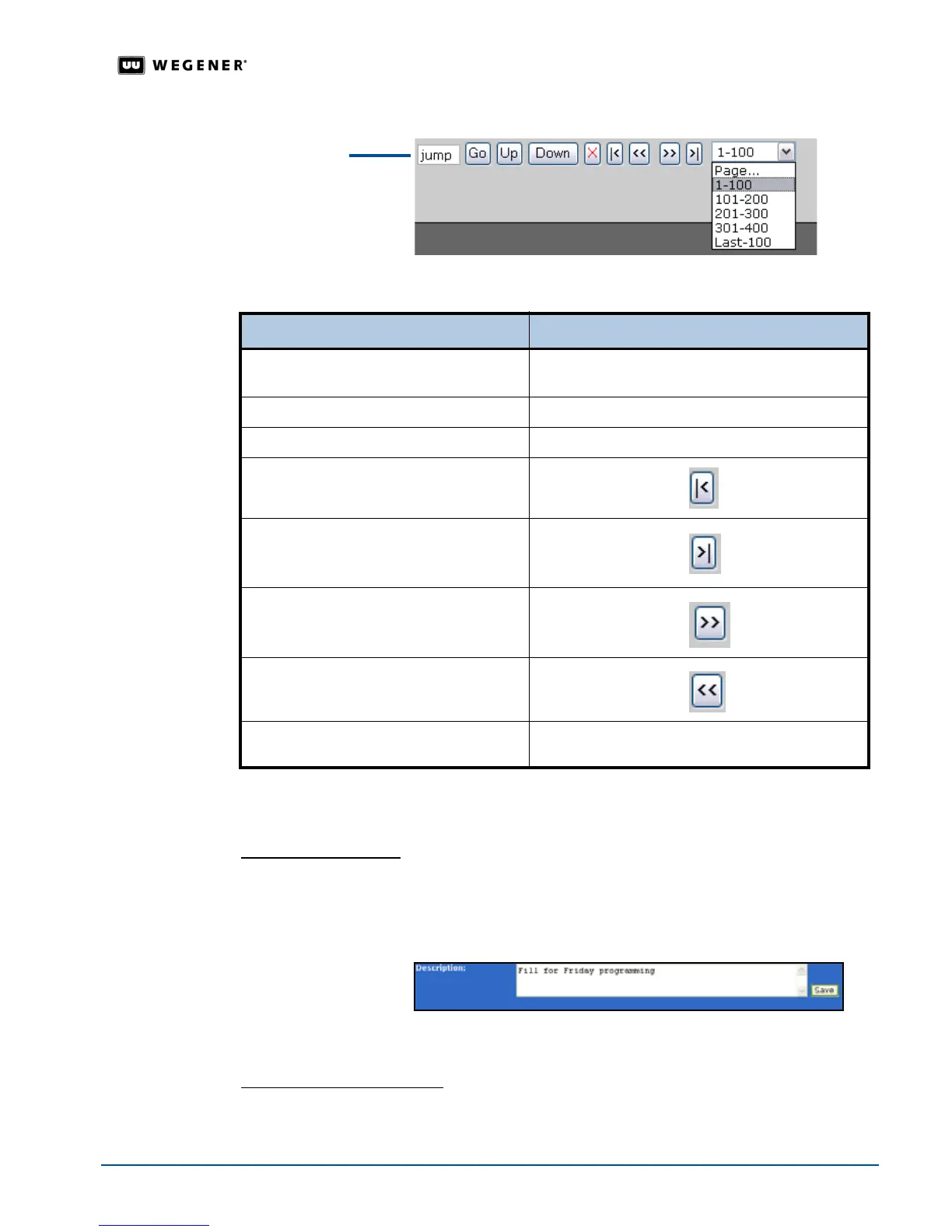
Figure 3.28: Large Playlist Navigation tools
Table 3.12: Large Playlist Navigation
Procedures for customizing playlists
All of the following procedures begin from
the
Playlist
tab on the web browser.
Editing the Description
The playlist description allows you to enter more information about the playlist so that it is easily
identifiable.
To edit the description in an open playlist:
1. From the menu bar, click
Edit Description
. T
he Playlist Builder opens the Description
box for editing.
2. Enter the playlist’s description and then click
Save
. The
Playlist Builder
lists the new
description in the playlist bar.
Creating and deleting Aliases
Using a playlist alias allows you to easily recognize the playlist and allows the iPump 6400
to perform the playlist functionality transparently.
To... Then...
go to a specific item
enter the item’s number in the
jump box and click
Go
move the selected item up in the playlist
click
Up
move the selected item down in the playlist
click
Down
go to the beginning of the playlist
click
First Page
go to the end of the playlist
click Last Page
go to the next page of the playlist
click Next Page
go to the previous page of the playlist
click
Previous Page
go to a specific page of the playlist
click the drop-down arrow and then select the playlist
page
playlist
navigation
tools



 To Next Page