Operation
40 800009-01 Rev. J www.wegener.com
3. Update the parameters by changing the text in the text boxes.
4. To save your changes, click the
Activate
button. Any changes take effect immediately. To
discard any changes, click the
Cancel
button.
Selecting Activate or Cancel
returns you to
the previous screen.
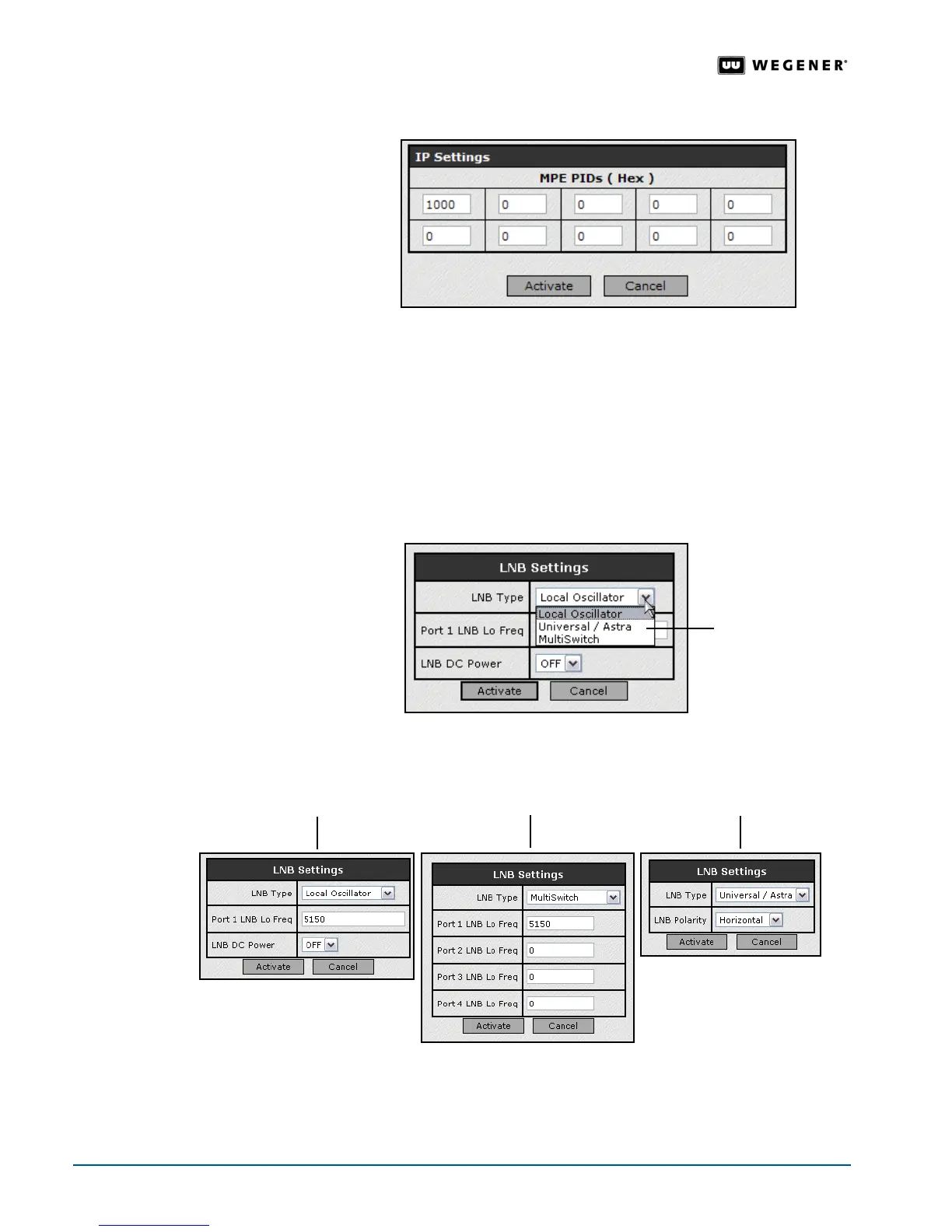
LNB Setup For compatibility between your satellite dish and the iPump 6400, select the LNB (Low
Noise Band) converter to match the one installed on your satellite dish.
1. From the
Setup
tab, select
Transport Input
from the
Setup
tab’s drop-down menu.
2. Click the
Edit
button under
LNB Settings
.
3. Select the LNB type from the drop-down menu.
Note: Your selection of LNB type determines the available fields to update.
4. Update the parameters by changing the text in the text boxes or selecting options from the
drop-down boxes.
list of LNB types
fields for local oscillator fields for multiswitch fields for universal/astra



 To Next Page