www.wegener.com 800009-01 Rev. J 39
iPump 6400 User’s Manual
User State vs. Current State
As the user, you control the status of the
user state by
enabling or disabling the
iPump 6400 genlock. To assist in
troubleshooting, the
iPump 6400 also displays the genlock’s
current state. If genlock is enabled and the external genlock
timing source is interrupted, genlock is automatically
disabled and the
iPump 6400 displays a 'No Genlock Sync'
alarm on the front panel. This indicates the video output is no
longer synchronized with the external genlock source.
Note: To clear the '
No Genlock Sync' alarm, either restore the external genlock timing
source and re-enable genlock, or disable genlock to continue synchronizing the
video output to the decoder's internal clock.
Satellite
Receive Setup
1. From the
Setup
tab, select
Transport Input
from the
Setup
tab’s drop-down menu.
2. Click the
Edit
button under
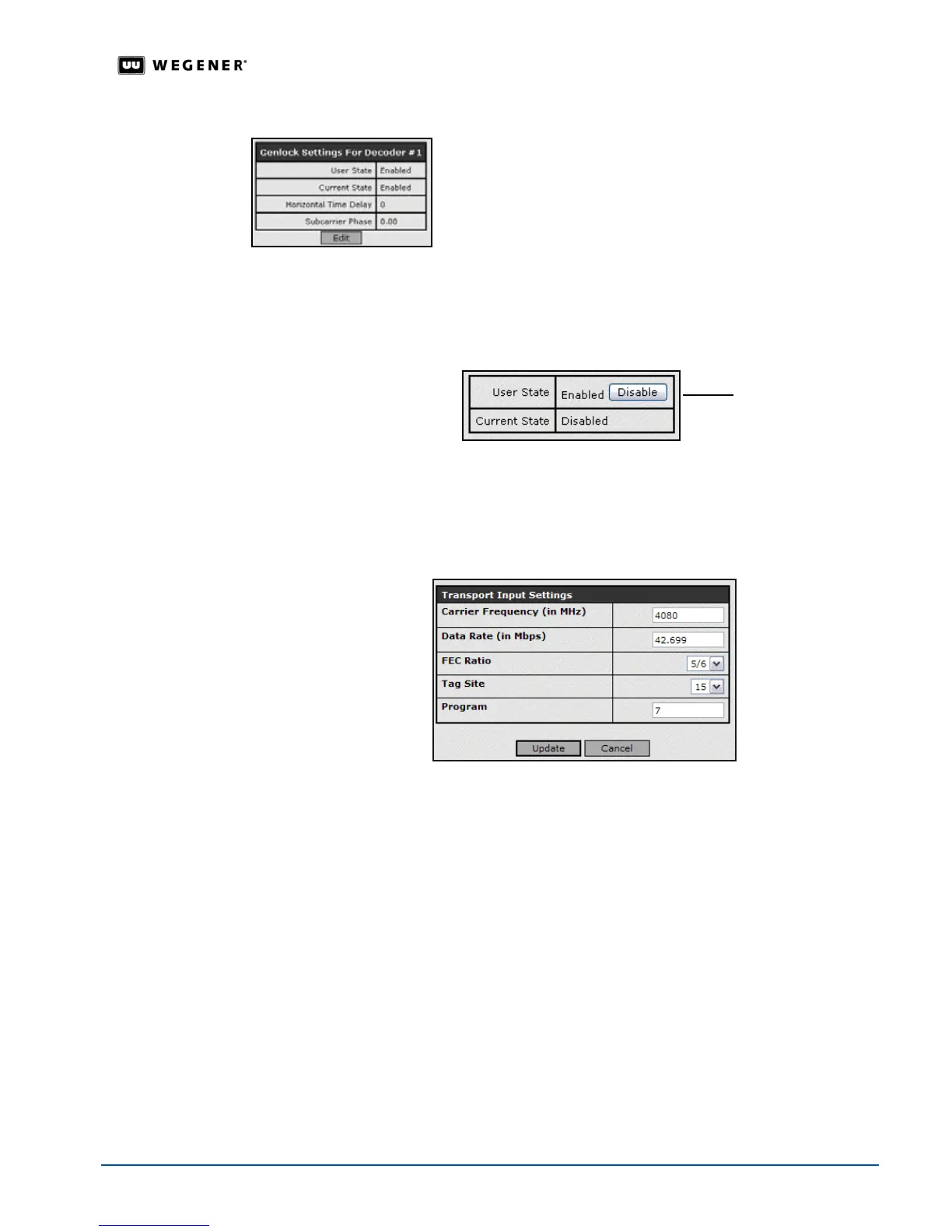
Transport Input Settings
to change that group of parameters.
3. Update the parameters by changing the text in the text boxes or selecting a different option
from the drop-down boxes.
4. To save your changes, click the
Update
button. Any changes take effect immediately. To
discard any changes, click the
Cancel
button. Selecting
Update
or
Cancel
returns you to
the previous screen.
Note: The Program field is used whenever Follow Tune is selected in the Settings for
Decoder (#)
. A program number of zero (0) indicates the first available program
found in the input stream.
IP Setup For the iPump 6400 to play satellite multicast streams, the IP settings must contain the
correct PIDs (Packet IDs).The
iPump 6400 extracts the MPE (Multi Protocol Encapsulated)
IP data from the input transport stream.
1. From the
Setup
tab, select
Transport Input
from the
Setup
tab’s drop-down menu.
2. Click the
Edit
button under
IP Settings
to change that group of parameters.
Click Disable to
suspend genlock



 To Next Page