Operation
28 800009-01 Rev. J www.wegener.com
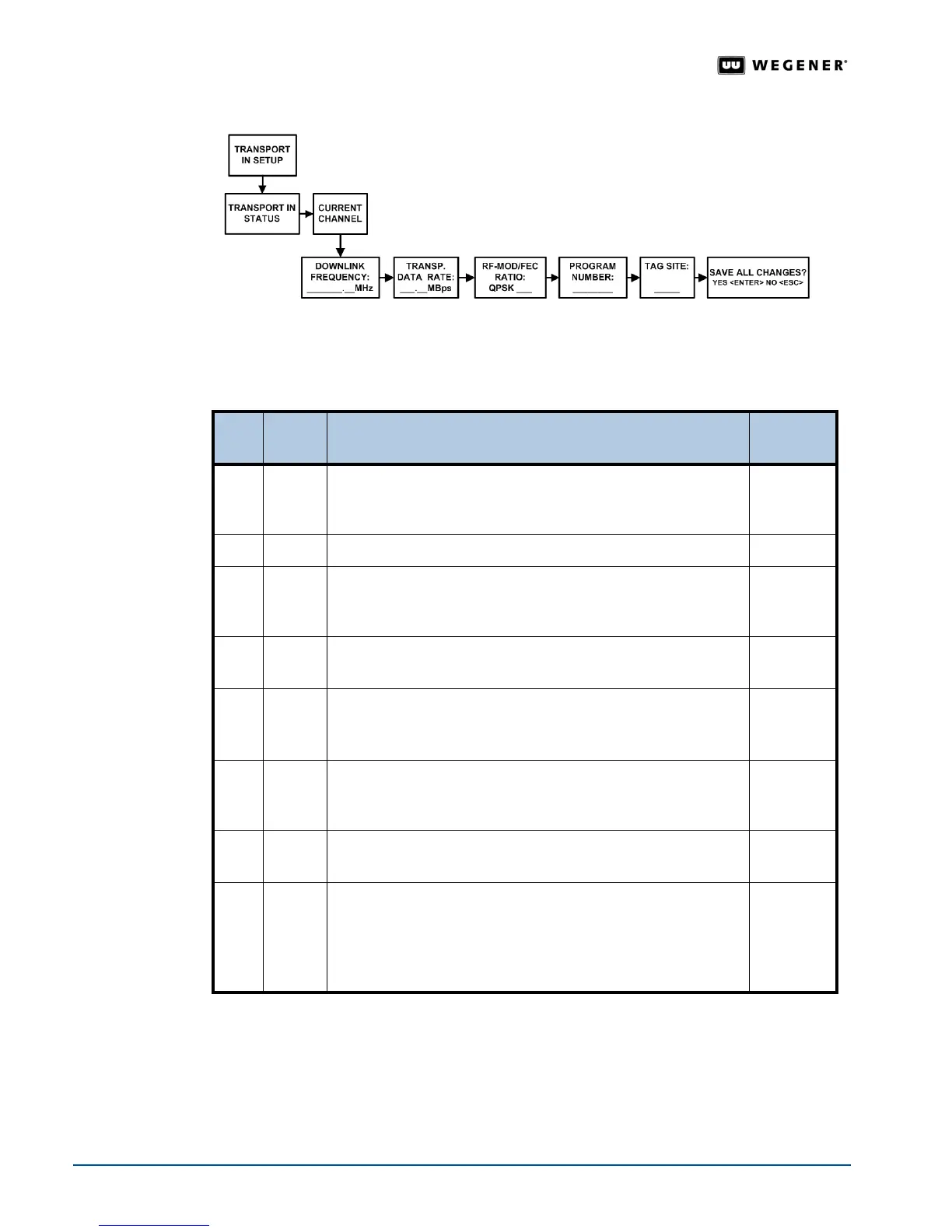
Figure 3.11: Menu navigation to set Transport In Current Channel
Table 3.5: Procedure for adjusting Transport In Current Channel settings
Begin from the
Transport In Setup screen. See Navigation to Transport In Setup Screen on
page 27.
LNB Type Available LNB Types are Multiswitch, Universal/Astra, and Local Oscillator. Select the
LNB Type from the Transport In Setup screen. Figure 3.12 and Table 3.6 detail the
procedure for selecting the
LNB Type.
Note:
LNB Setup may also be performed from the web browser. See LNB Setup on
page 40.
Step Press Displayed / Field Details
Screen
Type
1.
ENTER
TRANSPORT IN STATUS: TRACKING: Eb/No = XX. X
Transport In Status
is shown. If the iPump 6400 unit is
Tracking, then the screen also displays Eb/No.
Data
Display
2. #
CURRENT CHANNEL
Menu
3.
ENTER DOWNLINK FREQUENCY: XXXXX. XX MHz
Enter the Downlink Frequency from the LNB local oscillator in
MegaHertz.
Editable
4. #
TRANSP. DATA RATE: XXX. XX Mbps
Enter Transport Stream Data Rate in Megabits per second.
Editable
5. #
RF- MOD / FEC RATIO: QPSK 3 / 4
RF Mod
ulation is QPSK. Available Forward Error Correction
Ratios are
1/2, 2/3, 3/4, 5/6, 7/8, and 8/9.
Selectable
6. #
PROGRAM NUMBER: 00001
Enter the Program Number or code of the program to be
selected from the transport stream.
Editable
7. #
TAG SITE:
Values entered in this field do not affect iPump 6400 operation.
<Unused>
8. #
SAVE ALL CHANGES?
YES <ENTER> NO <ESC>
Press ENTER to save all the Transport In Setup changes or
press
ESC to cancel the changes. The iPump 6400 returns you
to the
Current Channel screen.
Selectable



 To Next Page