www.wegener.com 800009-01 Rev. J 29
iPump 6400 User’s Manual
Note: For proper multiswitch operation, LNB DC Power must be set to ON.
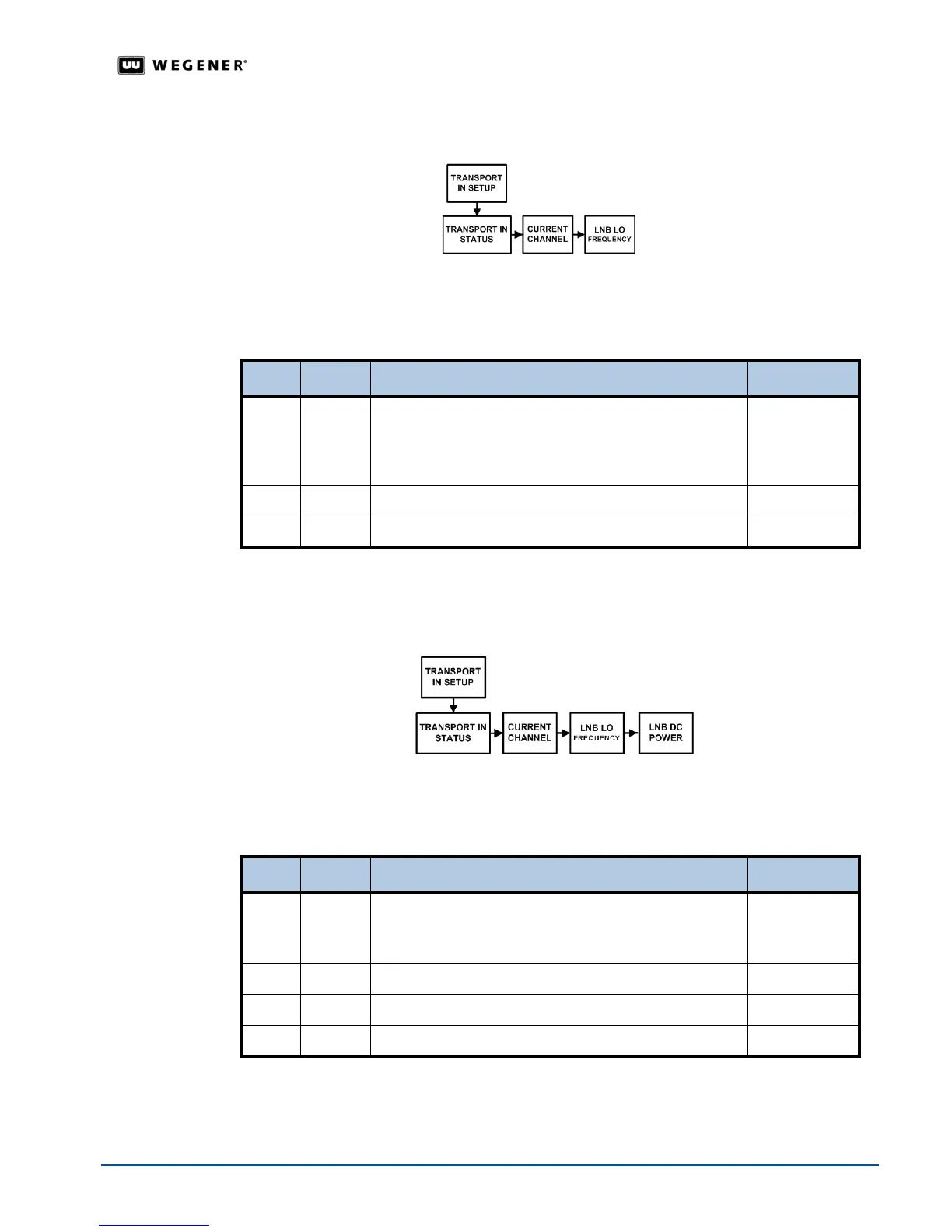
Figure 3.12: Menu navigation to set LNB type
Table 3.6: Procedure for setting LNB LO Frequencys
Begin from the
Transport In Setup screen. See Navigation to Transport In Setup Screen on
page 27.
LNB DC
Power Setting
For proper multiswitch operation, LNB DC Power must be set to ON. Set the LNB DC Power from
the
Transport In Setup screen. Figure 3.13 and Table 3.7 detail the procedure for setting the
LNB DC Power.
Figure 3.13: Menu navigation to set LNB DC power
Table 3.7: Procedure for setting LNB DC power
Begin from the
Transport In Setup screen. See Navigation to Transport In Setup Screen on
page 27.
Step Press Displayed/Field Details Screen Type
1.
ENTER TRANSPORT IN STATUS: TRACKING: Eb/No =
XX.X
Transport In Status
is shown. If the iPump 6400 unit is
Tracking, then the screen also displays Eb/No.
Data Display
2. #
CURRENT CHANNEL
Menu
3. #
LNB LO FREQUENCY
Selectable
Step Press Displayed / Field Details Screen Type
1.
ENTER TRANSPORT IN STATUS: TRACKING: Eb/No = XX.X
Transport In Status
is shown. If the iPump 6400 unit is
Tracking, then the screen also displays Eb/No.
Data Display
2. #
CURRENT CHANNEL
Menu
3. #
LNB LO FREQUENCY
Menu
4. #
LNB DC POWER
Selectable



 To Next Page